Notifications
The Notifications tab shows the current email and push defaults for noctune events.
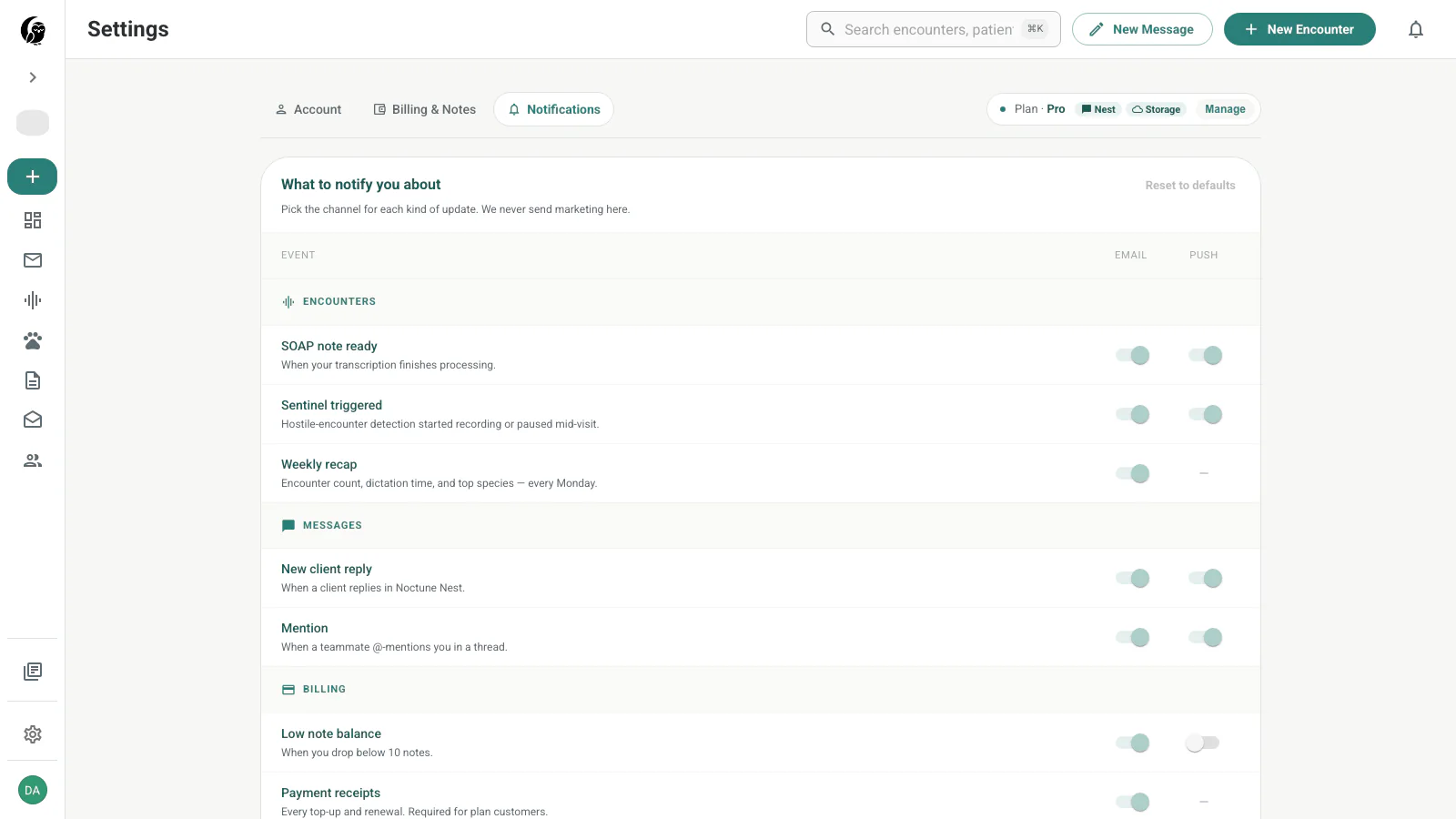
Current status: read-only defaults
The switches, Reset to defaults, and Edit quiet hours are currently disabled. This screen is a read-only view of the notification matrix, not an editable preference form. The visual switch position shows the present default behavior.
Encounter events
- SOAP note ready — processing has produced a note ready for review.
- Sentinel triggered — the hostile-encounter safety workflow was triggered.
- Weekly recap — a Monday summary of encounter count, dictation time, and top species.
Message events
- New client reply — a client replied through noctune Nest.
- Mention — a teammate mentioned you in a thread.
Billing and product events
- Low note balance — the available note balance falls below ten.
- Payment receipts — a top-up or renewal produced a receipt.
- What’s new — occasional product-change messages.
Quiet hours and in-app state
The footer displays push quiet hours of 8 PM–7 AM. Locked push cells use a dash where that event does not have a configurable push channel.
The Messages sidebar badge and other in-app state can still update independently of this static defaults screen.
Last updated on