noctune Sentinel
noctune Sentinel surfaces potentially hostile client behavior in a recorded encounter and preserves the source audio beyond the standard retention window. It is a documentation aid, not a clinical, legal, or security determination.
What Sentinel surfaces
During encounter processing, Sentinel can mark client language or behavior that warrants later review, including confrontational statements and explicit refusal of recommended care. A flagged encounter can include:
- a safety summary above the SOAP note
- timestamped reasons that seek to the relevant transcript and audio moment
- a Flagged indicator in encounter, patient, and message lists
- preservation copy explaining that the encounter’s audio remains available
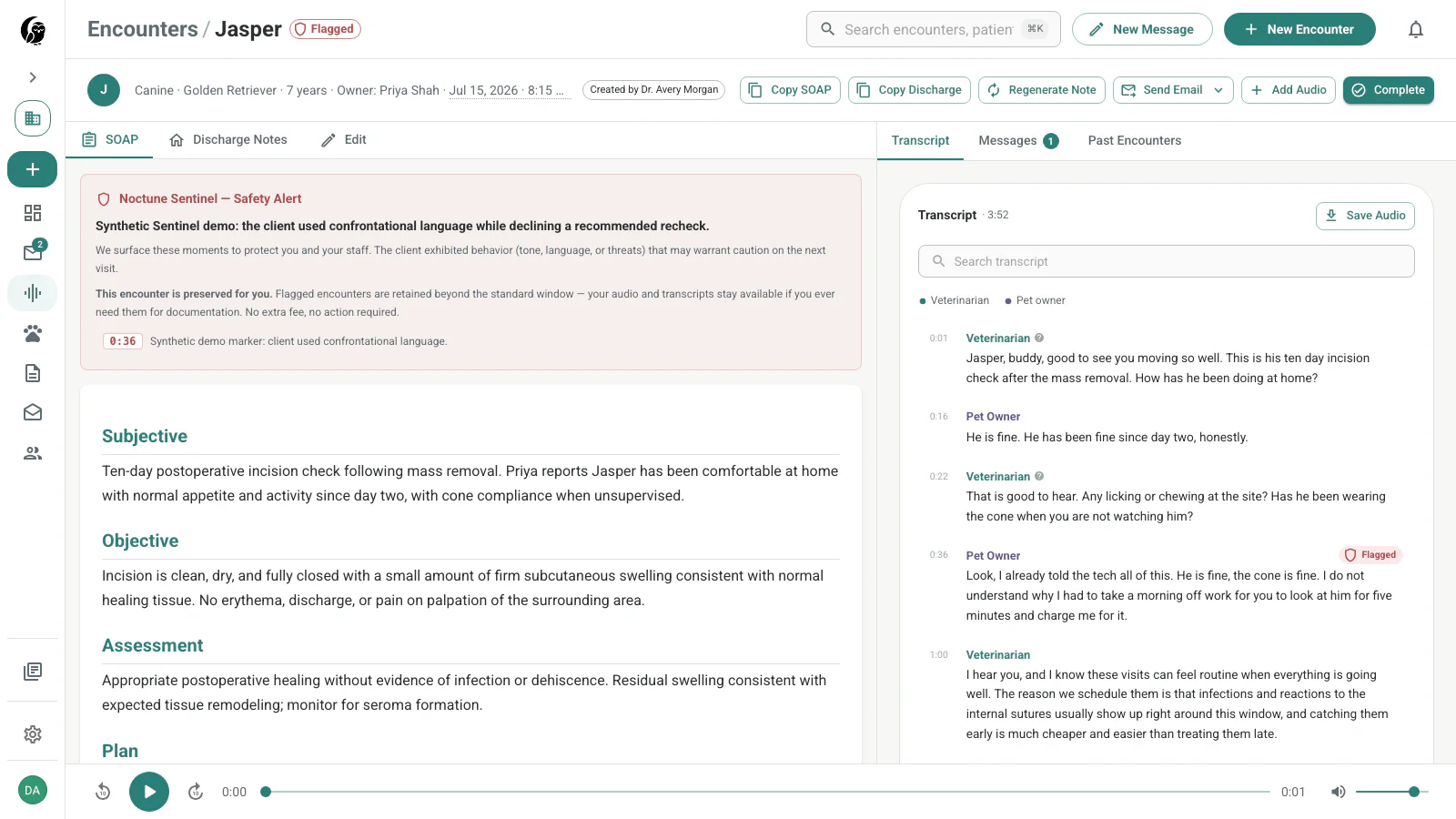
What happens automatically
The retention bypass does not require Long-term Storage and does not remove access to the editable SOAP note. Normal note versioning and audit history continue to apply.
Find flagged encounters
Open Messages and choose Flagged. The filtered list keeps the patient, owner, subject, assignment, unread state, and Sentinel indicator together.
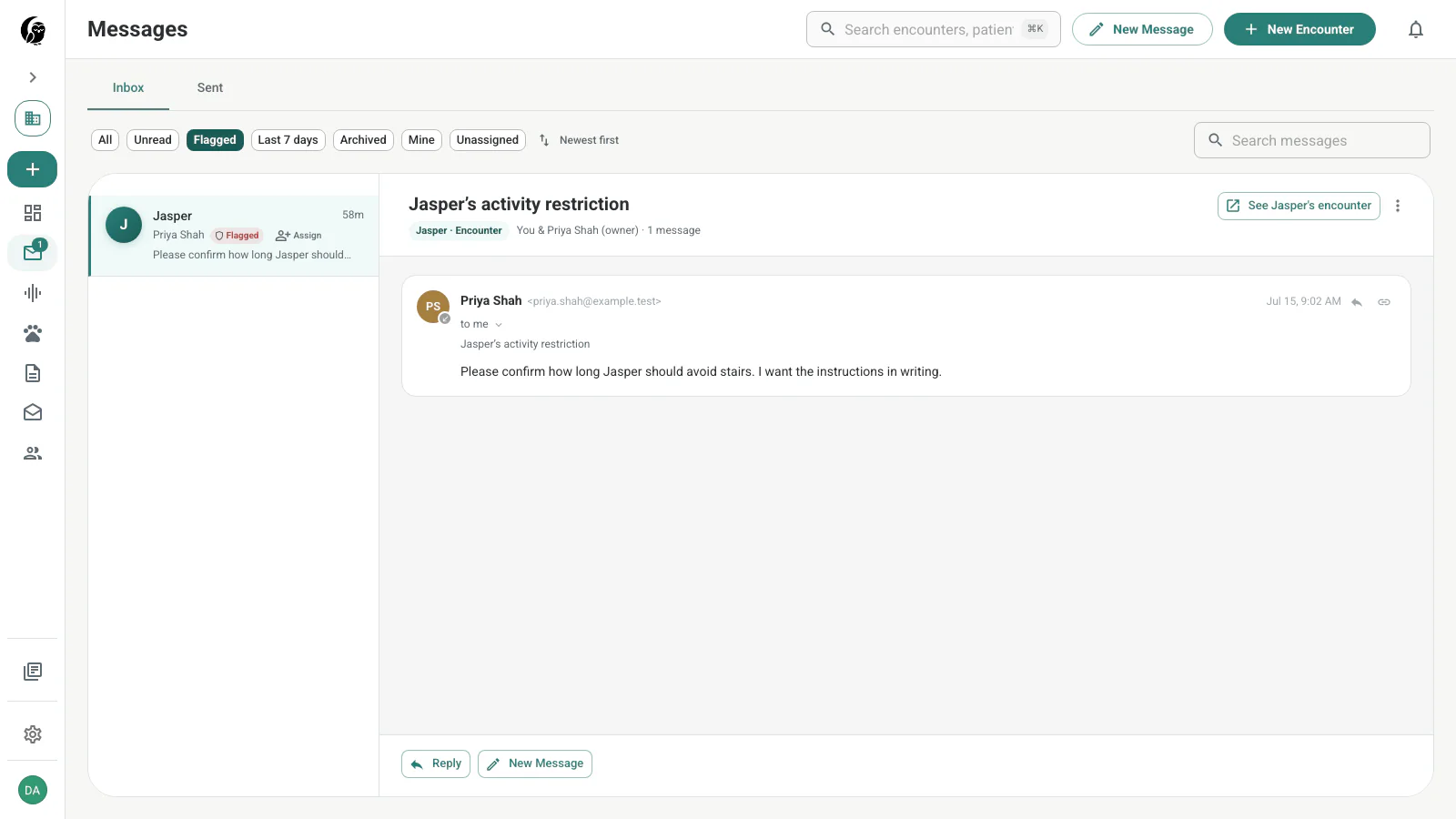
The Patient Records list also displays a flag beside a patient with flagged history, helping the care team review context before a later appointment.
Scope and limitations
- Sentinel analyzes audio that a user already chose to record; it does not turn on a microphone by itself.
- A flag is a reason to review the original audio and transcript, not proof that an event occurred exactly as summarized.
- Speaker attribution and transcription can be imperfect. Check the timestamped source before relying on a marker.
- Sentinel does not contact authorities, insurers, clients, or outside parties as part of the flagging workflow.
- A care team remains responsible for its own safety, documentation, and escalation policies.