Email Templates
Email Templates are reusable subjects and messages for onboarding, reminders, post-visit follow-up, and administrative communication. Use them for delivery or cover messages and reusable client education, such as diet guidance, greetings, and signatures.
Think of an Email Template as reusable message or handout text. Keep internal medical-record structure in a SOAP Template, and keep patient-specific home care, medication directions, warnings, follow-up, and recheck instructions in a Discharge Template.
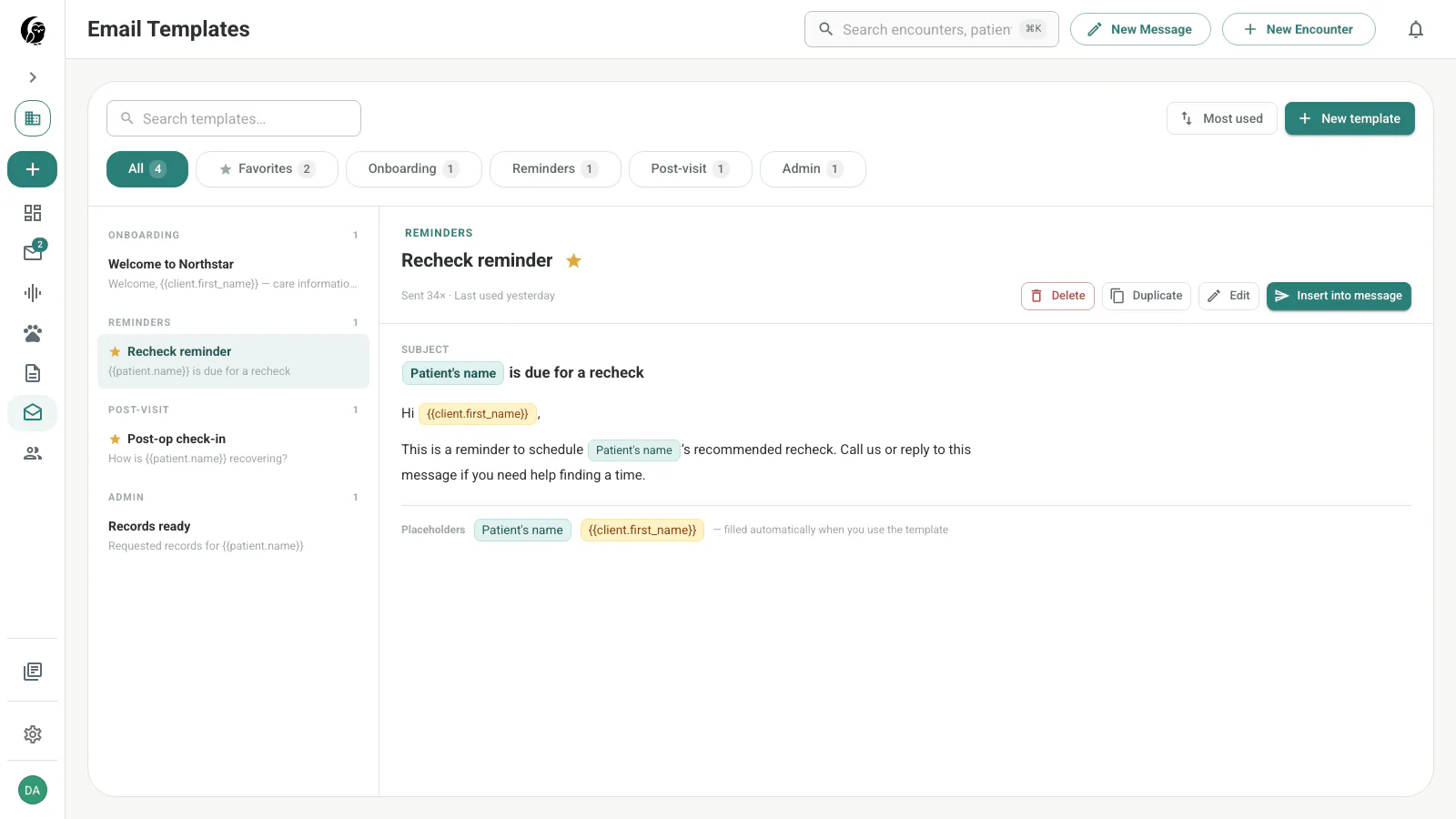
Find and organize templates
Use Search templates… at the top to find a template by name. Results are grouped by category — Onboarding, Reminders, Post-visit, Admin, or Uncategorized. Select the star to mark a template Favorited.
Favorites belong to the current user.
Create or edit a template
Choose New Template, then set the name, optional Category, Subject, and Body. The body supports markdown for bold, italics, and bulleted lists, and the Preview pane shows the rendered message. noctune flags Unsaved changes until you choose Save Template.
Use Delete Template to remove a template you no longer need.
Add merge fields
Type { at the cursor to open the searchable field menu, or choose Placeholder in the body toolbar. The editor displays a recognized field as a labeled chip.
Email merge fields are different from the human-readable double-brace guidance accepted in SOAP and discharge templates. Email fields are selected from this menu and resolve to patient, sender, practice, or date values when the template is inserted into a message. Double-brace text in a SOAP or discharge template is preserved as guidance for noctune’s note generator instead.
| Group | Available values |
|---|---|
| Patient | Patient’s name, species, breed |
| You | Your display name |
| Practice | Practice name, phone, email |
| Date | Today’s date |
Preview uses example values to show the finished shape. An unrecognized or unresolved field appears in amber.
Insert into a message
You insert a template from a message rather than from the library. In a new message or reply, choose Templates to open the Insert a template picker, search by name, and choose Insert.
When inserted:
- the subject fills only when the current subject is empty
- the body is appended without replacing text you already wrote
- sender, practice, and date fields resolve from the active workspace
- patient fields resolve when a recipient matches an owner email on a patient record
- Undo restores the draft to its pre-insert state
Before sending, noctune identifies fields it could not resolve. Correct the recipient or source record, edit the message, or explicitly choose Send anyway. Sending anyway leaves that field text in the delivered email.