New Encounter
Start from New Encounter in the top bar or Start an encounter on the Dashboard. The same drawer handles live browser recording and existing audio files.
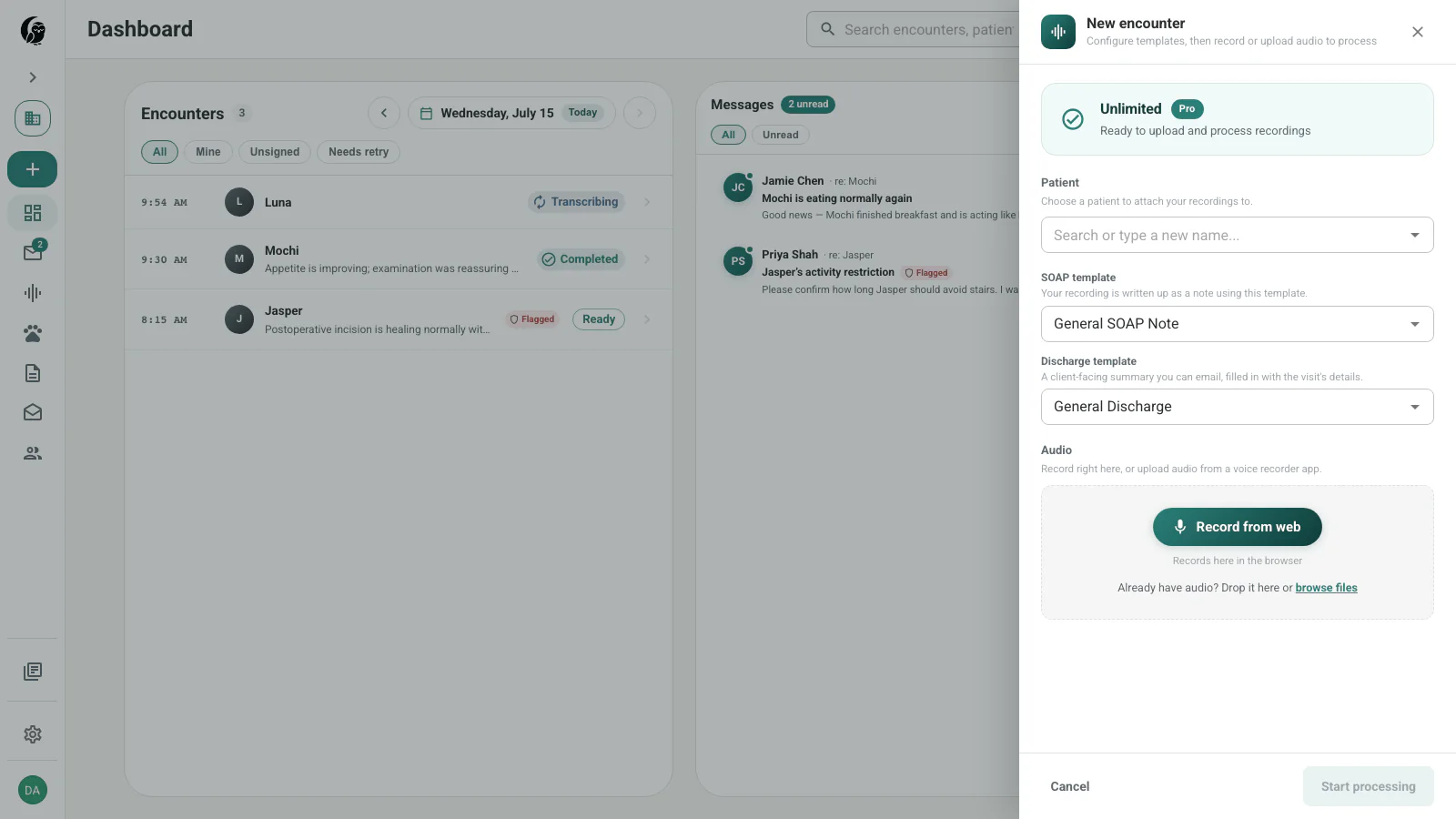
Choose the patient and templates
Select a patient before recording. If the patient does not exist, type the new name and use the create option in the selector.
The two template choices have different jobs:
- SOAP template controls the clinician-facing note.
- Discharge template controls the client-facing summary.
The plan card at the top shows the note allowance and active plan for the current billing workspace.
Record in the browser
- Select the patient and templates.
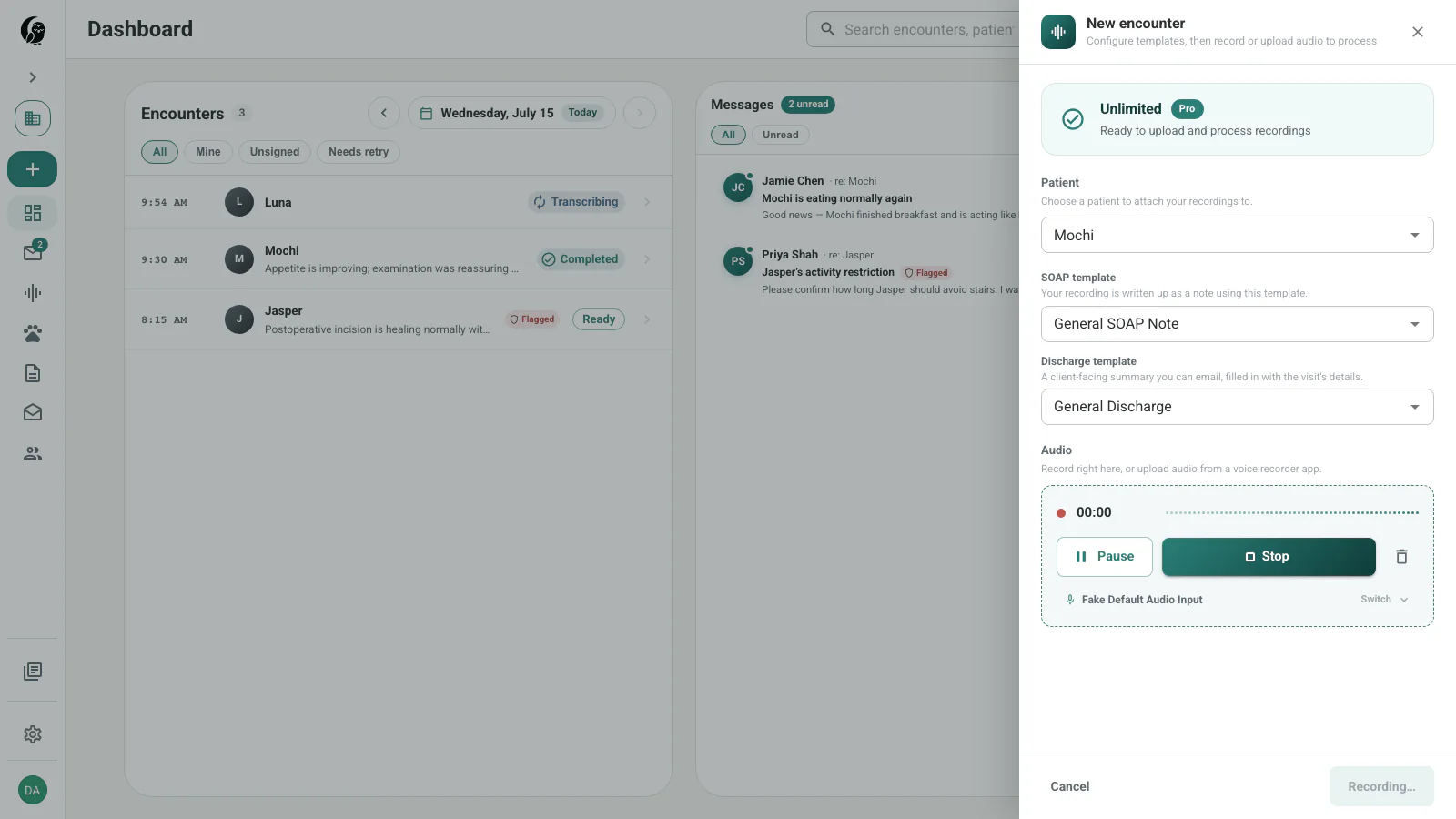
- Choose Record from web and allow microphone access.
- Use Pause and Resume when needed. The recording strip shows elapsed time, waveform history, and the active input.
- Choose Stop to add the take to the queue.
- Add another take or file if the appointment has multiple parts, then choose Process file or Process files.
Move around without stopping
Closing the drawer does not end an active take. A recording dock remains available while you move through noctune; use it to return to the drawer or stop the recording. noctune also warns before a tab closes while a recording or unprocessed queue is active.
Recover an interrupted take
While recording, noctune stores recovery chunks in the browser. After a crash or accidental close, the recovery prompt can upload, download, or discard the local take. Successful upload or explicit discard removes the recovery copy.
If local browser storage is unavailable, recording can continue in memory, but the drawer warns that crash recovery is unavailable. If the active microphone disappears, noctune attempts another input and otherwise pauses without discarding captured audio.
Upload existing audio
Drop supported audio into the recording area or choose browse files. Every accepted file appears in the queue with its name and size. Remove any unwanted row before processing.
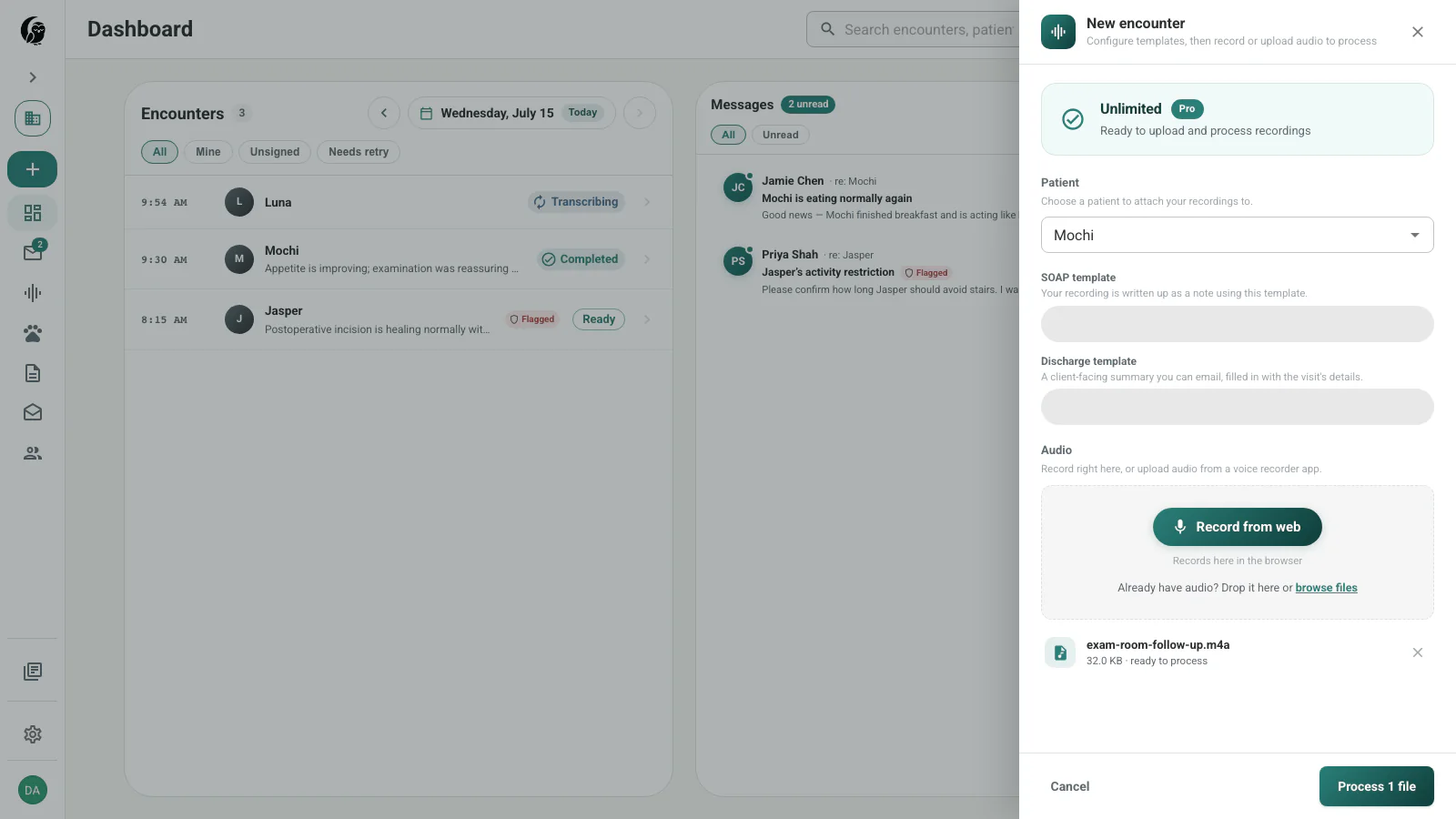
See Supported Formats & Limits for accepted extensions and size limits.
Record on iOS
The noctune iOS app can record an appointment and upload it into the same account. Select the patient and note templates in the app, record the visit, then stop and submit. The encounter appears in the web queue for review. The current iOS controls are shown in the app itself and can differ slightly by release.
What happens next
Submitted audio appears under In progress while noctune transcribes and generates notes. When the note is ready, the encounter moves to Needs review. Processing problems appear under Issues.
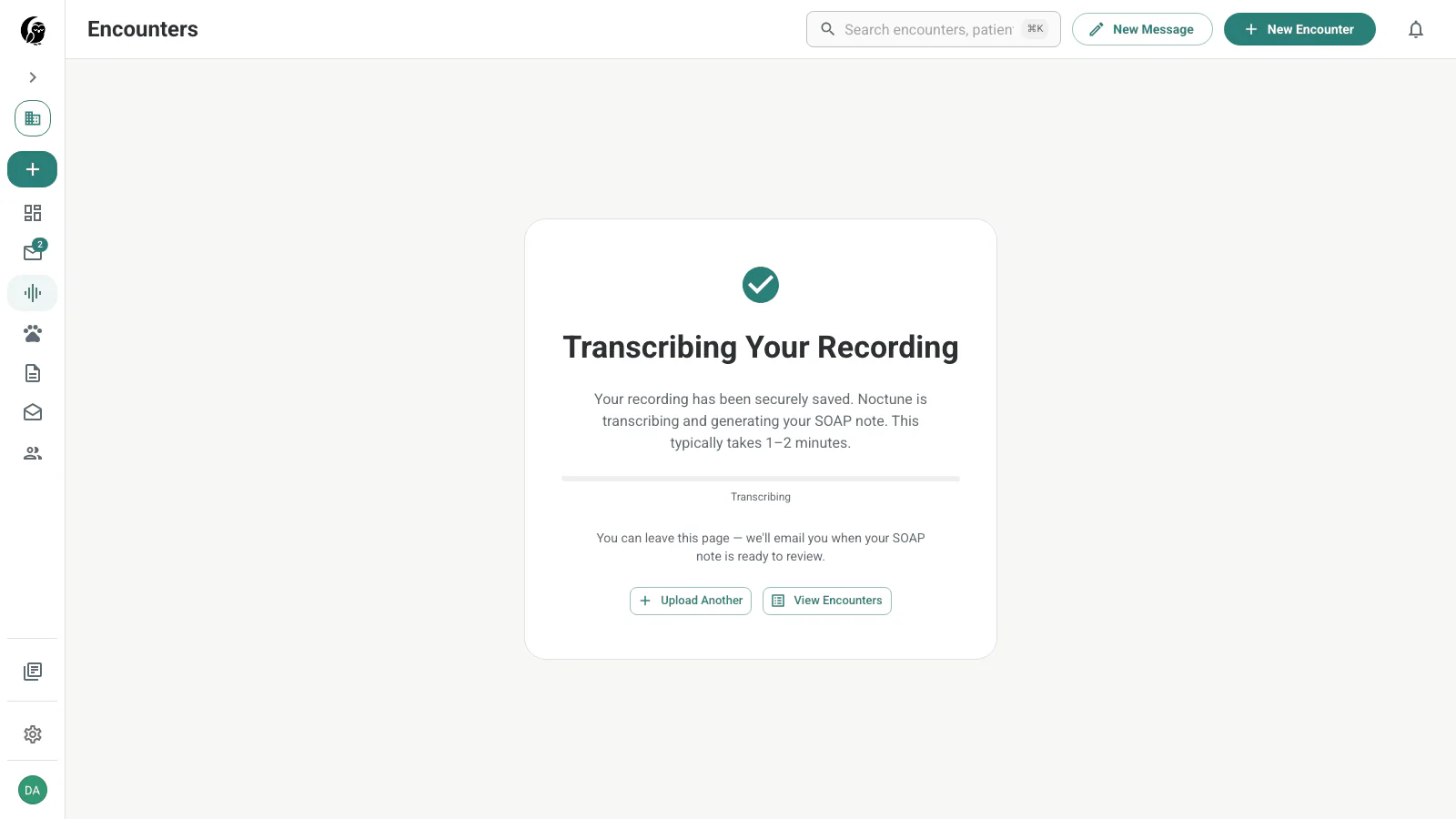
Next: follow the full Encounter workflow, then see Review & Edit for detailed review tools.