Billing & Notes
Billing & Notes explains the active plan, included capabilities, current note usage, add-ons, packages, and recent balance activity for the selected billing workspace.
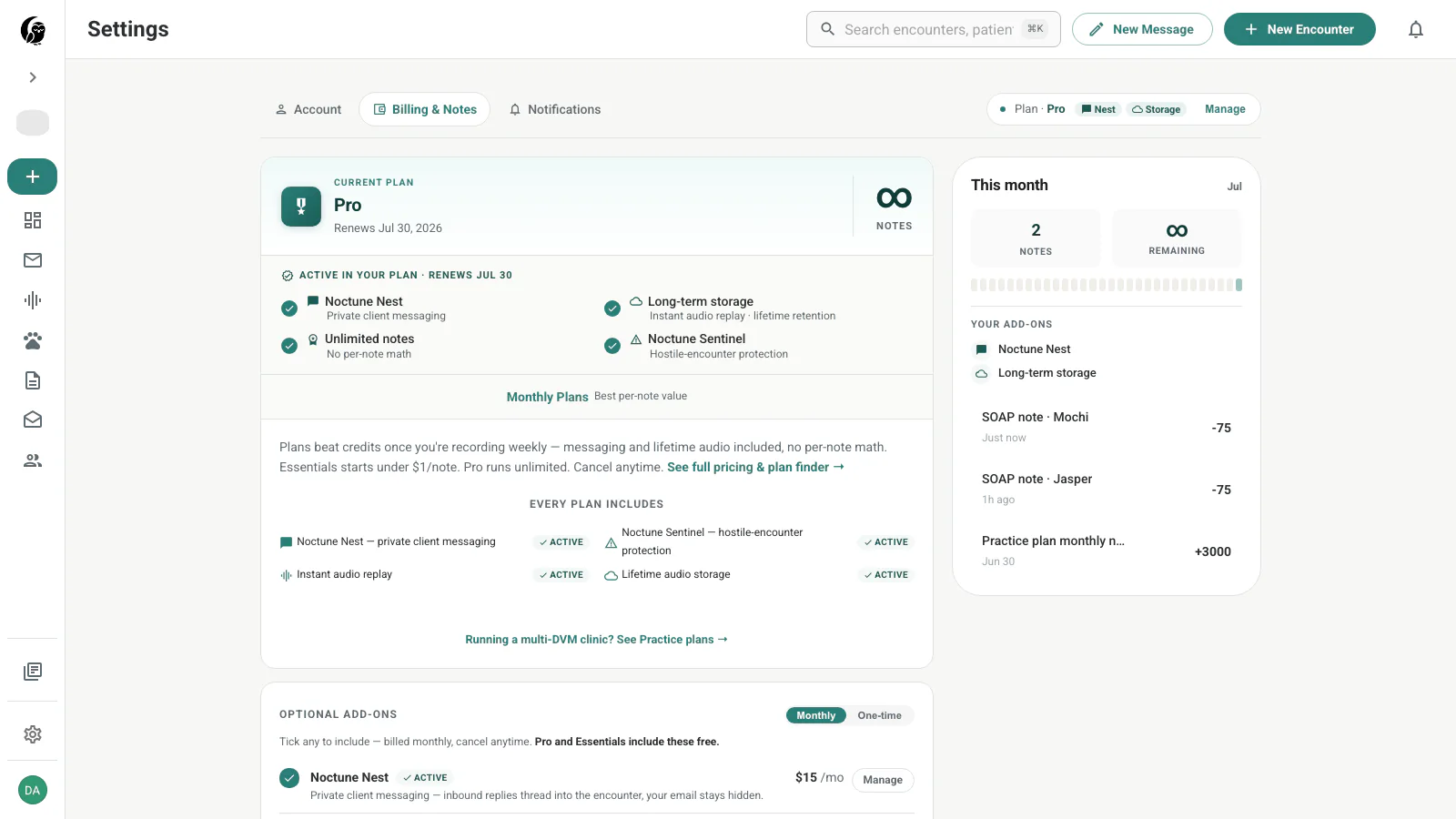
Current plan
The plan card shows the tier and renewal date. It also separates features active in the plan from the comparison area below. Depending on the catalog, available tiers can include pay-as-you-go, individual subscriptions, and a separate Practice plan.
The header summary stays visible while you scroll and links to the applicable management flow.
Included capabilities
The active plan can include:
- noctune Nest for reply-enabled client messaging
- Long-term Storage for immediately playable audio beyond the standard window
- Unlimited notes when the tier bypasses per-note balance checks
- noctune Sentinel for hostile-encounter protection
The card is the source of truth for the current workspace. A personal plan and a practice plan can have different access.
This month and recent activity
The right rail shows the current month, notes used, and notes remaining. Unlimited plans display an infinity marker instead of a numeric ceiling.
Recent activity lists deposits and deductions with their note amounts. A generated SOAP note can link its usage to the patient or encounter that caused it.
Add-ons and note packages
The optional add-ons section shows Nest and Long-term Storage when they are not already included, with Manage or purchase actions as appropriate. Use the Monthly and One-time switch to inspect recurring options and available note packages.
Practice billing is managed from the Practice page and its Manage billing action.
What is not on this page
The current Billing & Notes tab does not display a card-number table, promo-code field, or downloadable invoice-history table. Do not look for those controls in Settings; use the plan’s management flow or contact billing support for account-specific payment documents.