Review & Edit
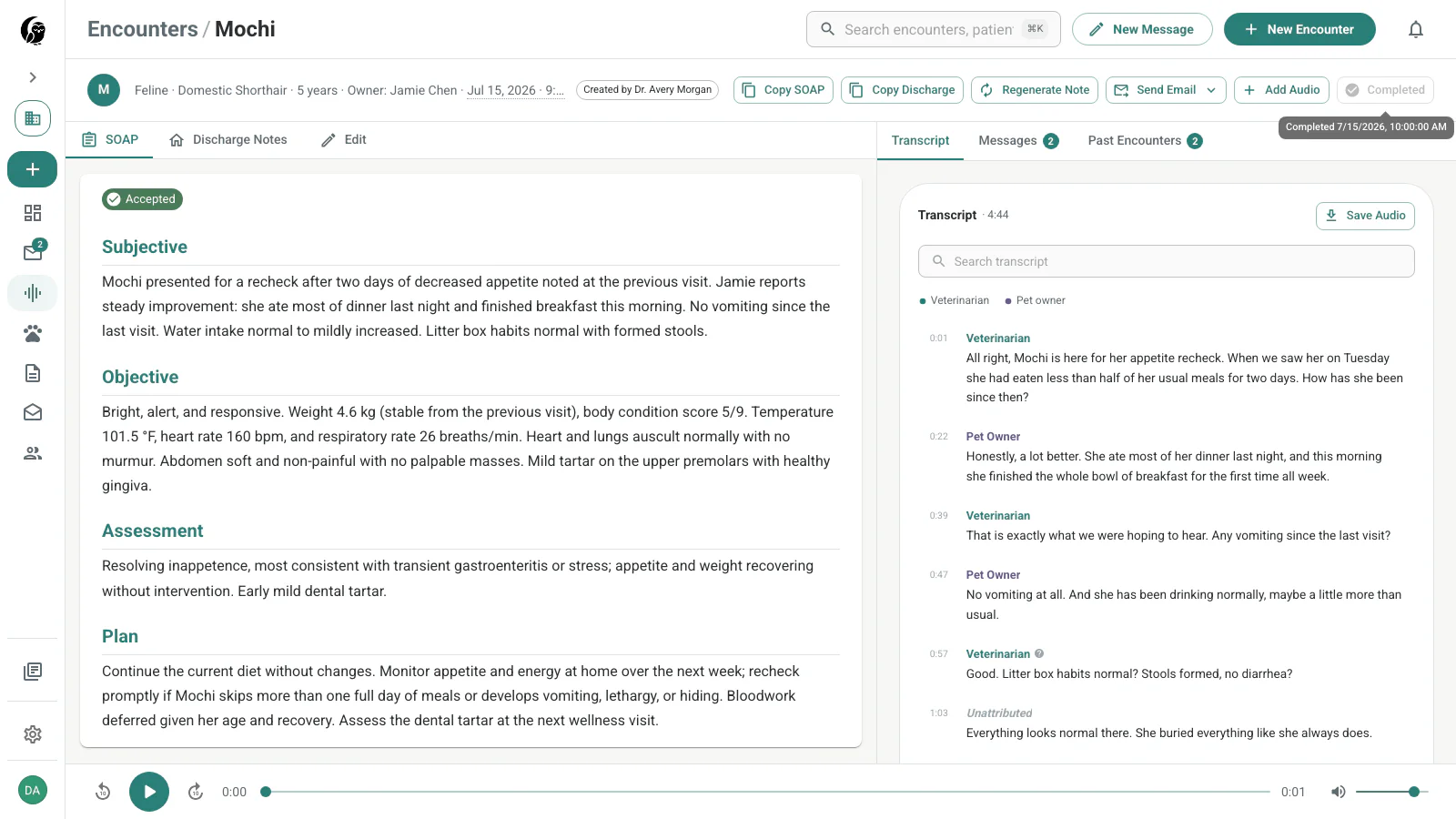
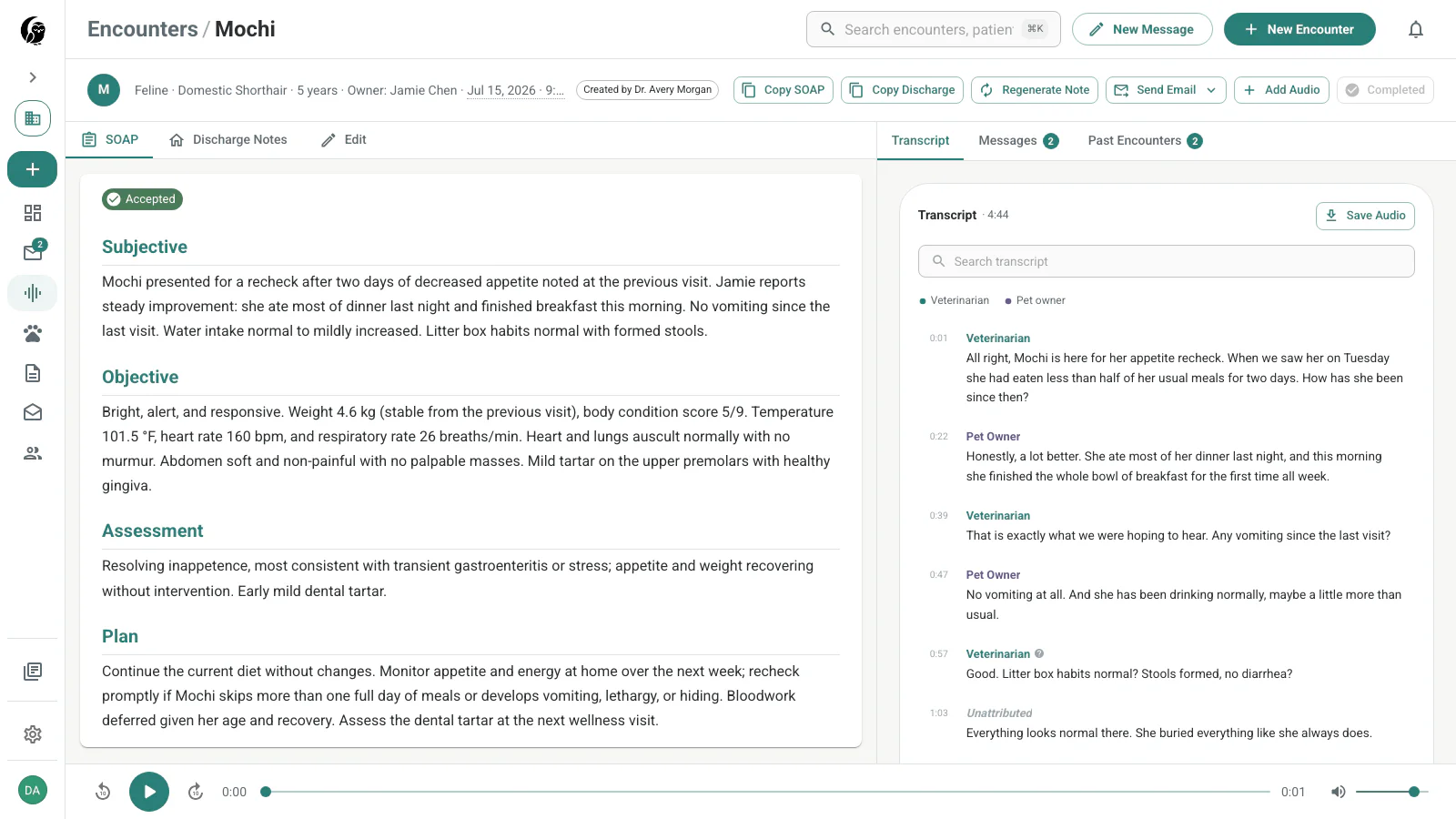
Open a ready encounter to review the generated SOAP note beside the source transcript. The header keeps patient details and the main actions visible while you work.
Verify the transcript and audio
Transcript segments are labeled by speaker and time. Select a segment to seek the audio player to that point. Use this when checking a dosage, measurement, name, or other clinical detail against the recording.
Save Audio downloads the recording when it is available. Audio access follows the storage and retention policy; the transcript and notes remain available when older audio is gated.
Edit the SOAP note
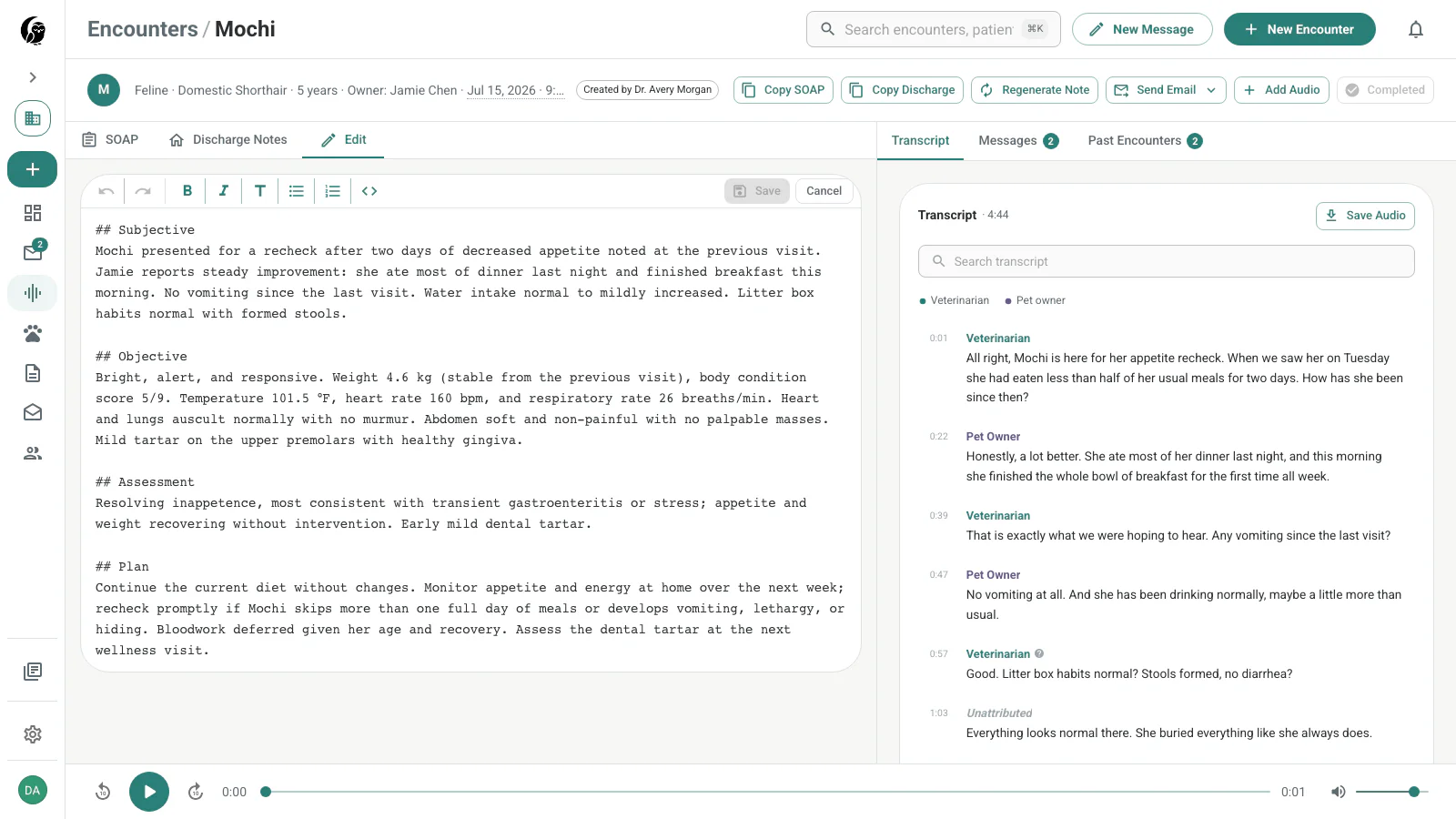
Open Edit to work in the markdown editor. Its toolbar supports headings, bold, italics, lists, inline code, undo, and redo. Choose Save to create an audited edit or Cancel to discard the draft.
Regenerate with different templates
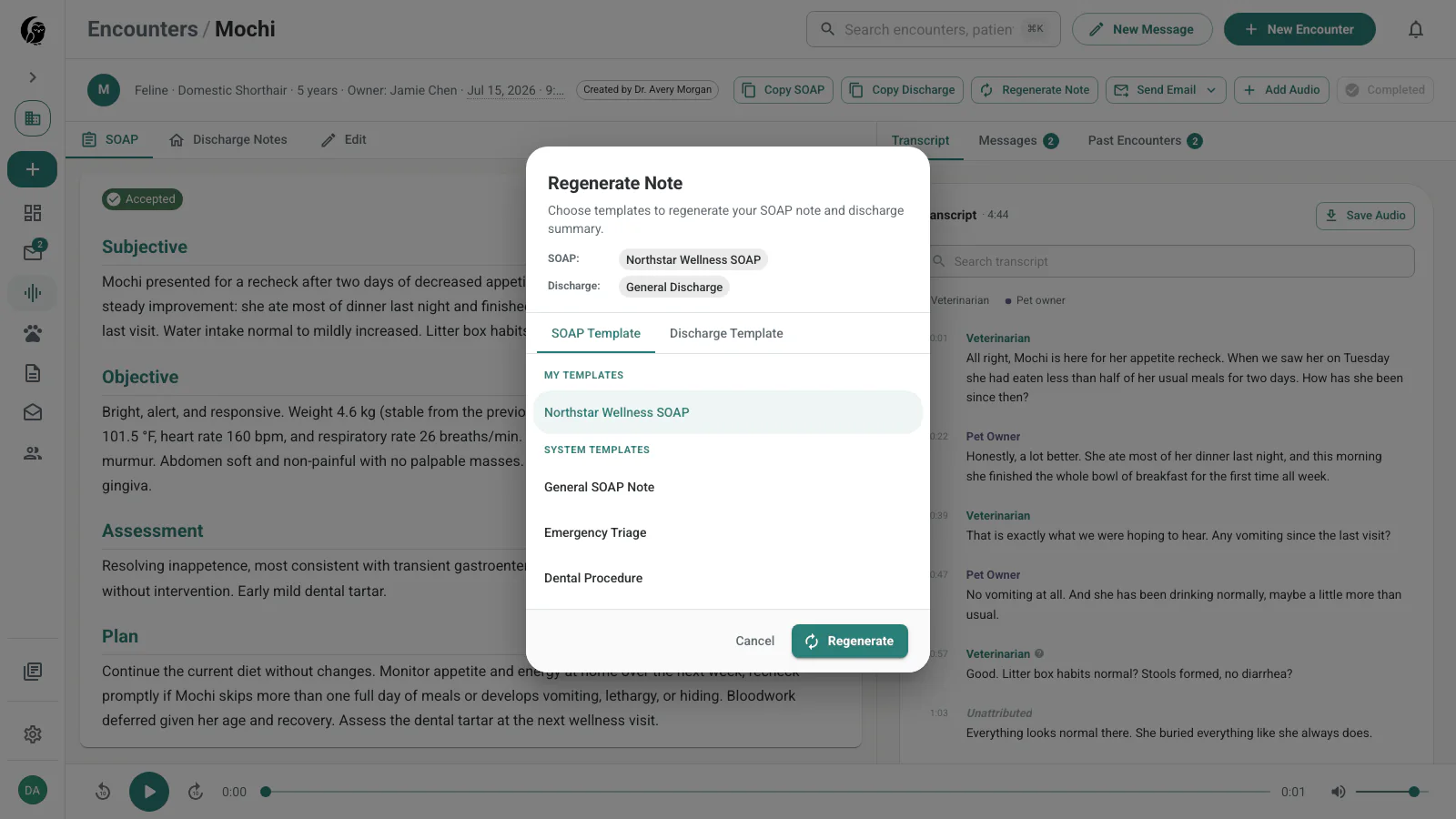
Choose Regenerate to open the Regenerate Note dialog, then select the SOAP and discharge templates for a new generated version. Earlier versions remain available from the version selector, so you can compare them or return to prior text.
Review prior visits
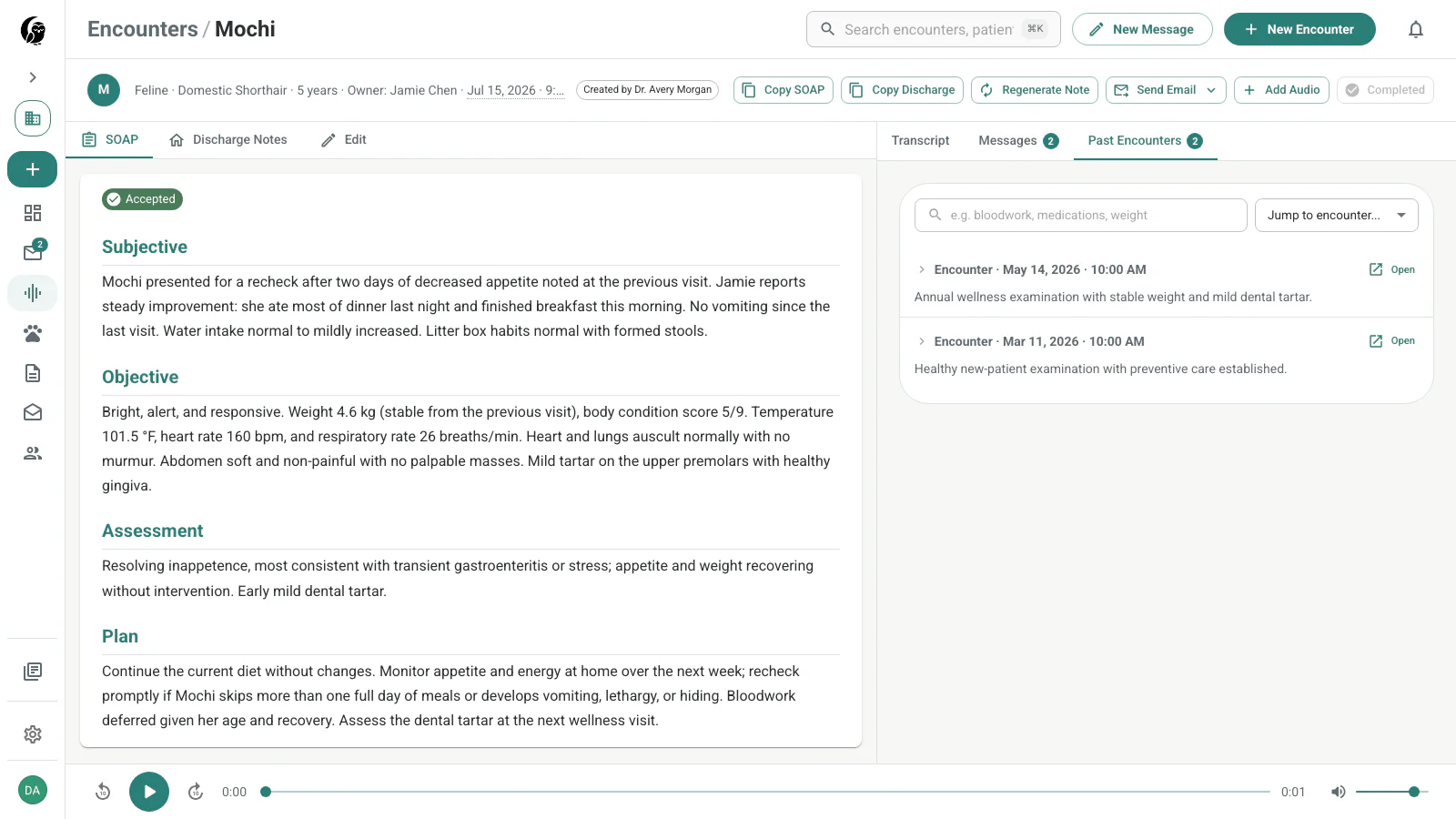
Open Past Encounters to see the same patient’s earlier notes without leaving the current appointment. Expand a prior row for its note, jump by date, or search the history for a term such as a medication or weight.
Add later audio
If the visit continued, choose Add Audio and select another supported file. noctune appends it to the encounter, extends the transcript, and generates an updated note from the combined record.
Copy, email, and complete
- Copy copies the open document — the SOAP note, or the discharge summary when the Discharge Notes tab is active — for a PIMS or another record system.
- Complete marks the clinical review finished. The action changes to Completed, while the encounter remains available.
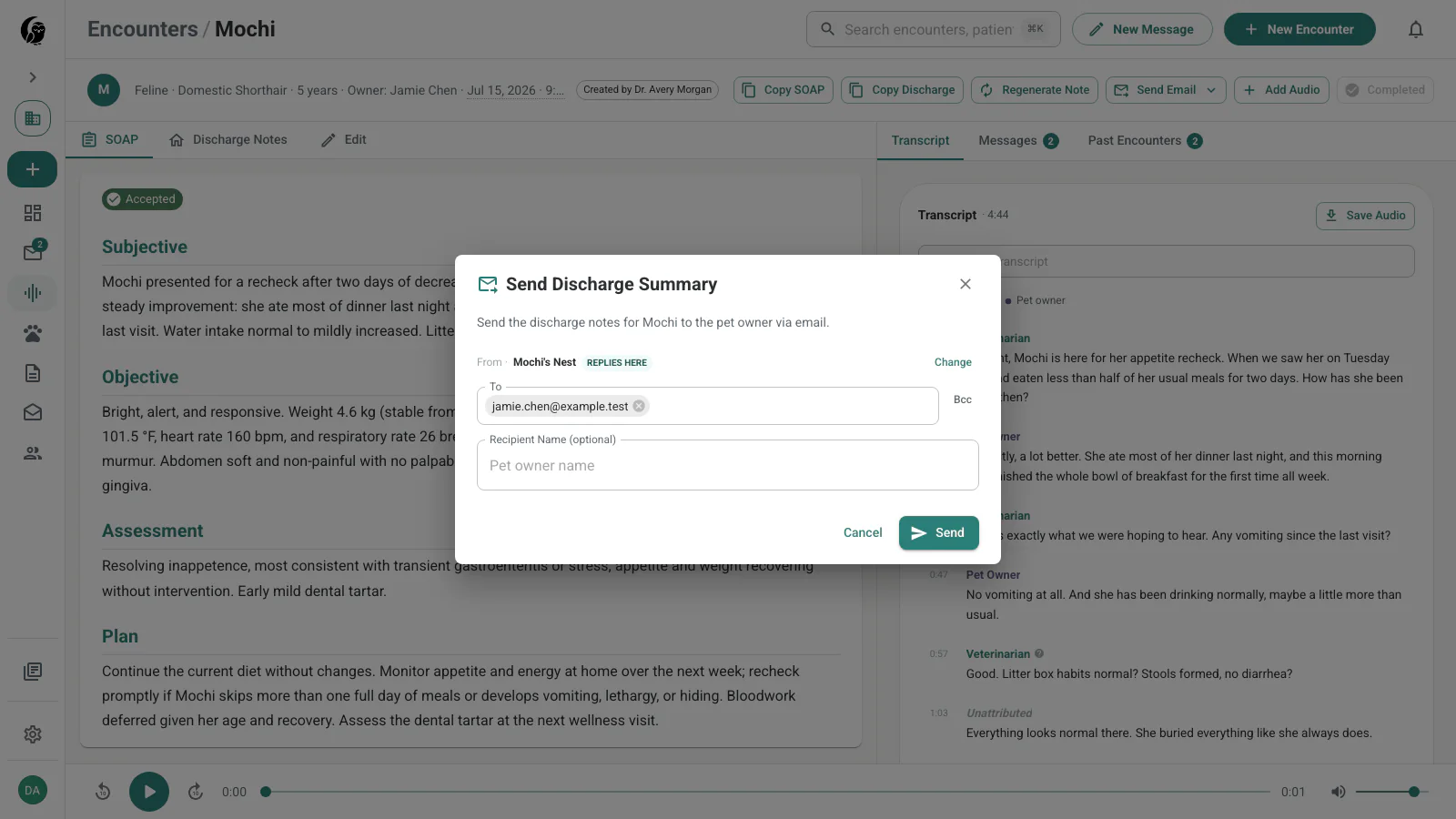
- Send Email opens the encounter email choices. Choose Send discharge notes, add the recipient, and send the client-facing summary.
- Before completion, the discharge dialog offers Send + Complete as the primary action and Send only as an option. After completion, the primary action is Send.
- If Auto-finish on copy or send is enabled in Account settings, copying the SOAP note or sending discharge notes can also complete the encounter.