Practice
A practice workspace groups clinic membership, invitations, billing seats, a shared inbox identity, agreements, and email footers. The Practice page shows the active clinic selected in the workspace switcher.
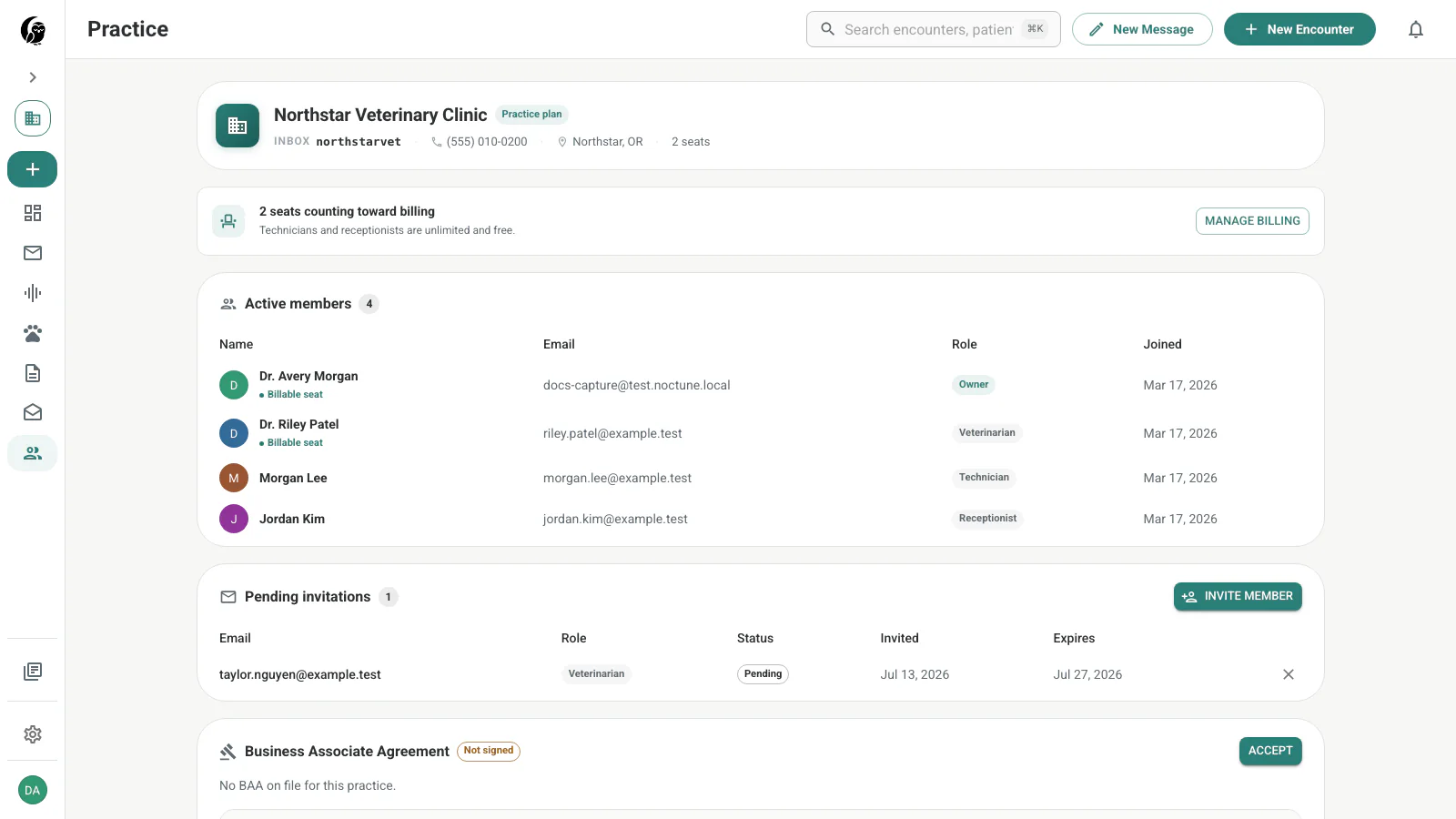
Practice summary
The header shows the practice name, inbox handle, phone, location, plan, and billable-seat count. These are summary fields on the current page; it does not provide a clinic logo upload or general profile-edit form.
Manage billing opens the practice billing area for users with access. Veterinarian and owner seats count toward practice billing; technician and receptionist memberships are shown as non-billable roles.
Active members
The table lists every active member’s name, email, role, join date, and whether the seat is billable. Current roles are:
- Owner — owns the practice workspace and its billing relationship
- Admin — manages practice operations and invitations
- Veterinarian — clinical user and billable seat
- Technician — clinical support role
- Receptionist — front-desk and communication role
The current user-facing table displays these assignments. It does not expose inline role changes or member removal controls.
Invite a member
Owners and admins can choose Invite member, enter an email address, and select Veterinarian, Technician, Receptionist, or Admin. Send invitation is enabled after an address is entered.
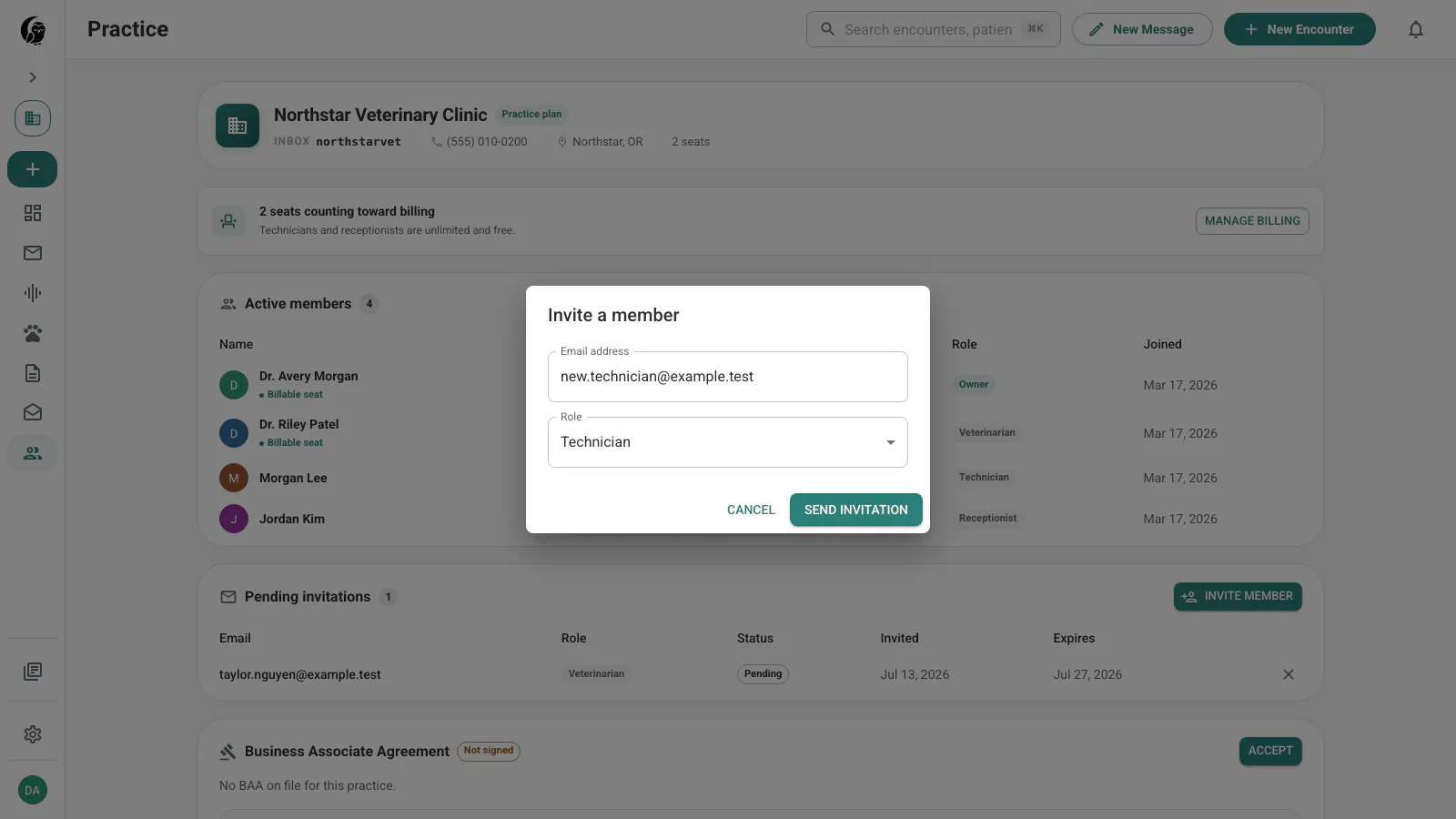
Pending invitations show their role, status, invited date, expiration date, and a revoke action. Once accepted, the person moves into Active members.
Agreements and email footers
Below the member and invitation panels, the page shows the current Business Associate Agreement status and practice email footers. Owners or admins can complete the available agreement action and manage footers used by practice messages.
If you do not belong to a practice yet, the page shows the setup flow instead of these panels.