Settings
Settings has three tabs for personal identity, billing access, and notification defaults. Team membership and invitations live under Practice.
Account
Manage the display name shown in messages, the personal noctune inbox handle, and the Auto-finish on copy or send encounter preference.
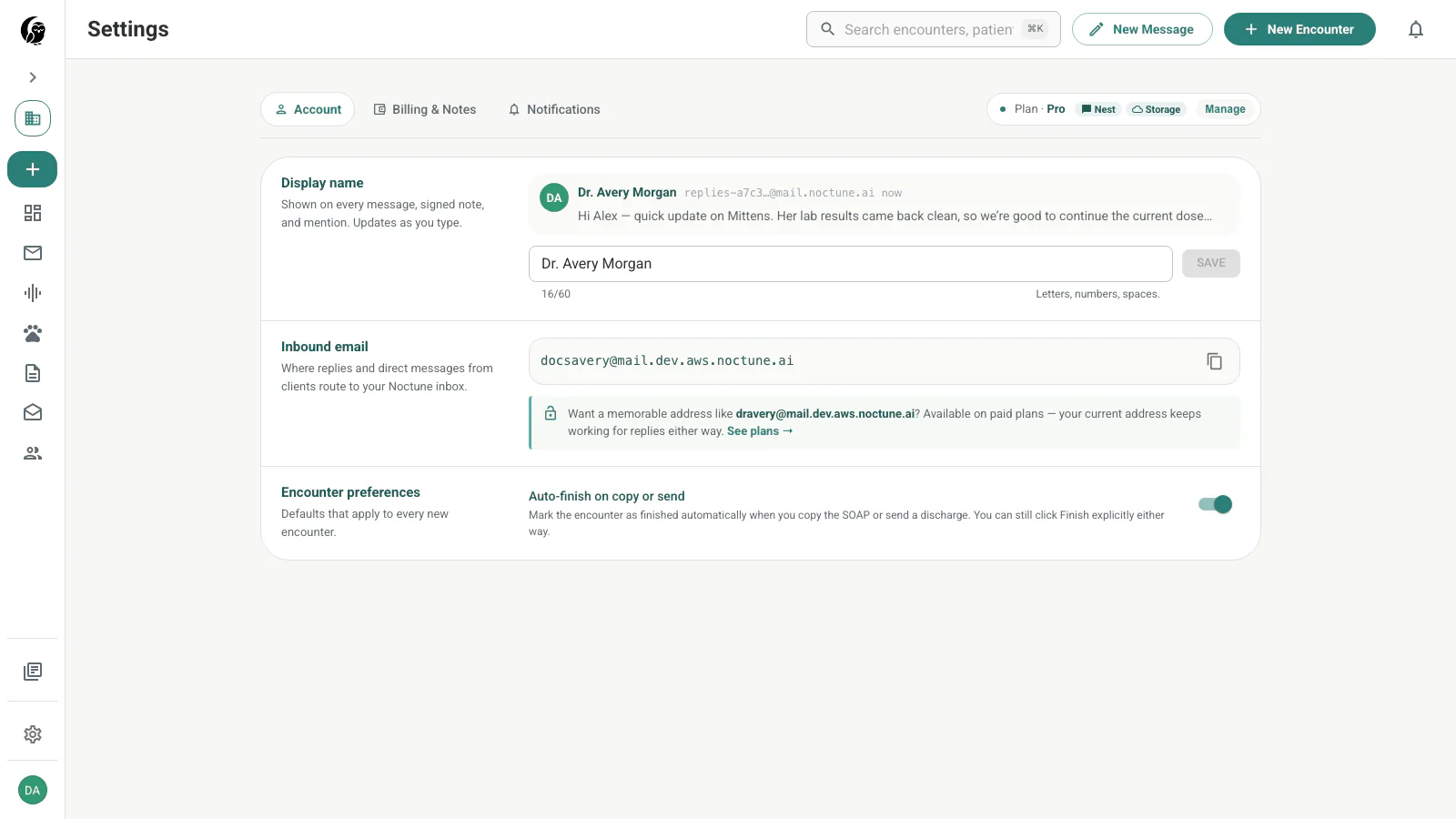
See Account.
Billing & Notes
Review the current plan, included capabilities, notes used this month, remaining allowance, add-ons, available packages, and recent activity.
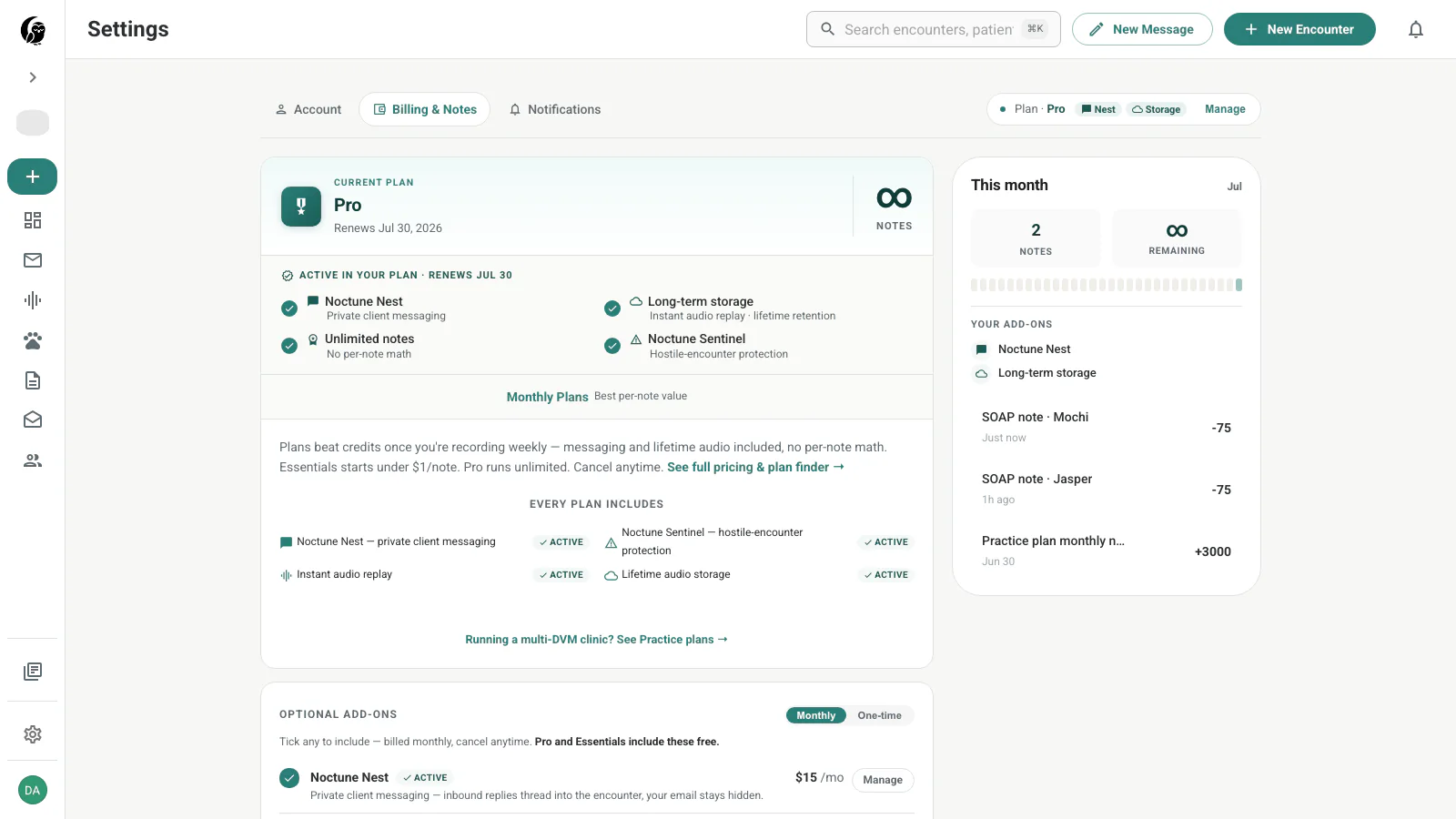
See Billing & Notes.
Notifications
Review the current email and push defaults for encounters, Messages, billing, and product updates, plus the displayed quiet-hours window.
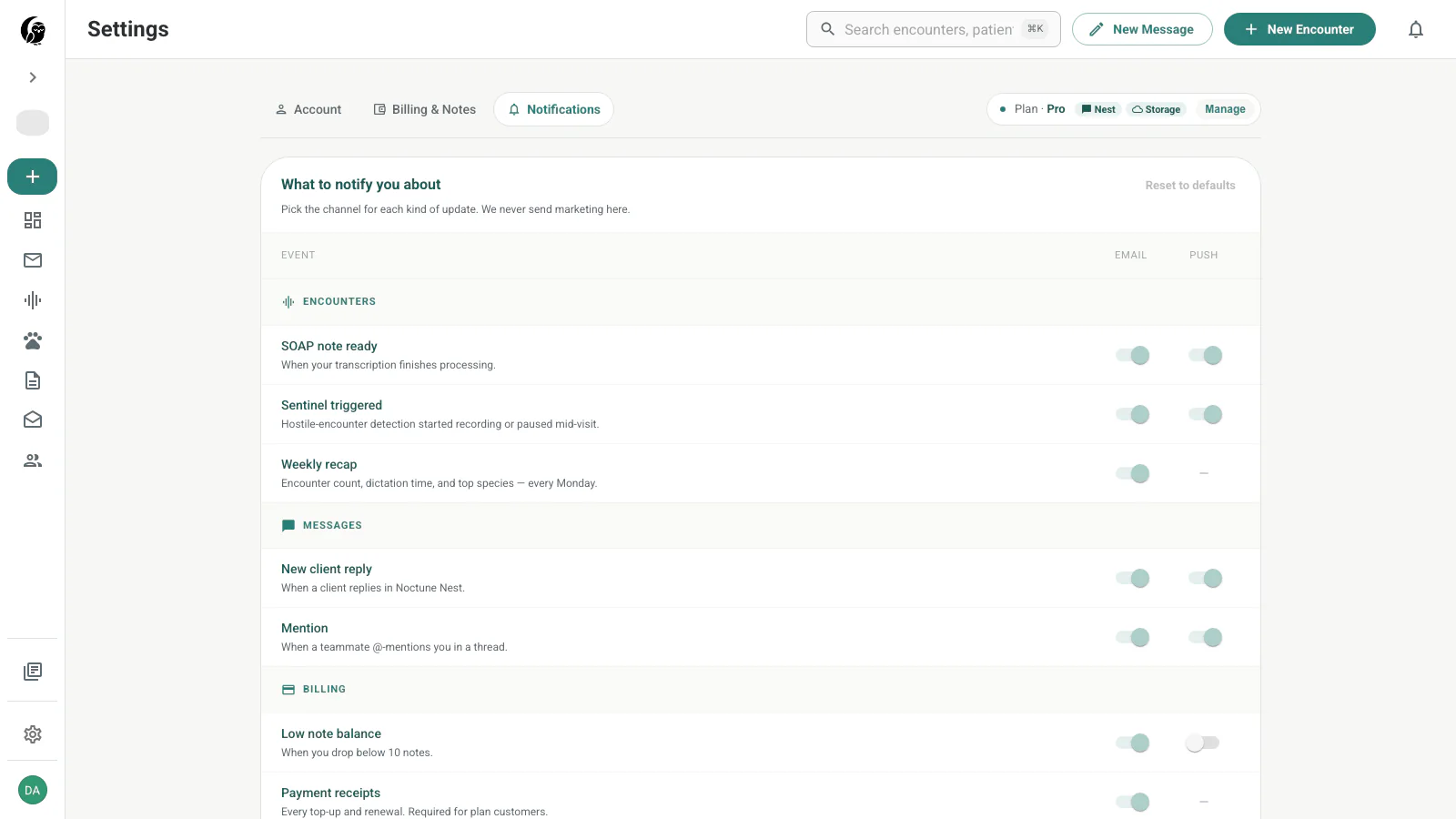
See Notifications.
Last updated on