Messages
Messages collects client replies that return through noctune Nest and direct mail sent to a noctune inbox handle. Sent keeps the outbound messages you initiated from noctune.
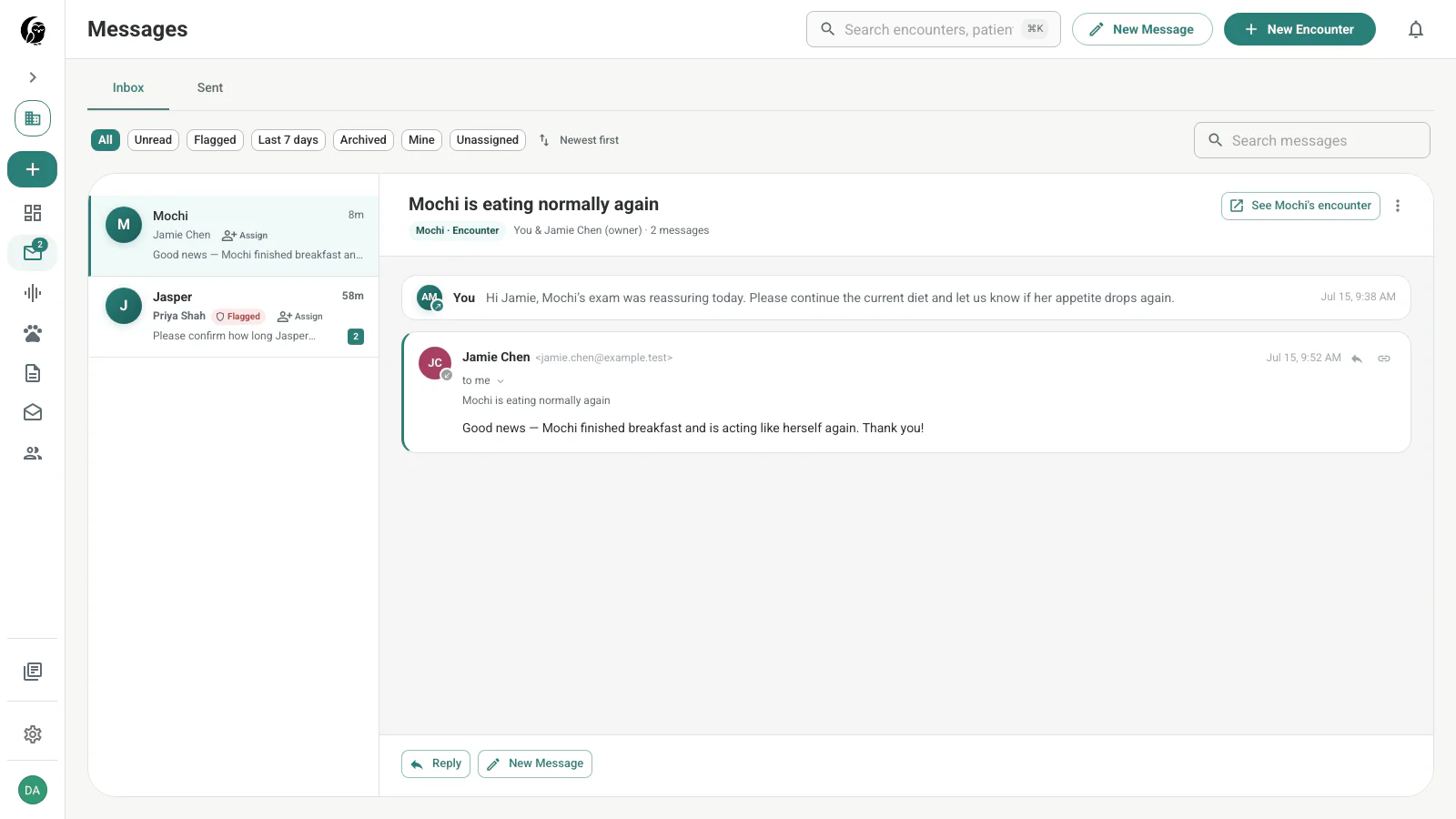
Inbox and Sent
Use the top tabs to switch between incoming and outgoing mail. Inbox filters include All, Unread, Flagged, Last 7 days, and Archived. In a practice workspace, Mine and Unassigned help divide follow-up work.
Choose a thread to read the message history. Encounter-linked replies show the patient and a See encounter action, so you can move directly to the SOAP note, transcript, and clinical context. Assignment is visible in the list for team triage.
noctune Nest
When an outbound message uses Nest, a client reply returns to noctune without exposing your personal address. A reply to an encounter-linked message remains associated with that encounter; a reply to a global message returns to the Messages inbox.
See Messaging & Email Relay for the routing details.
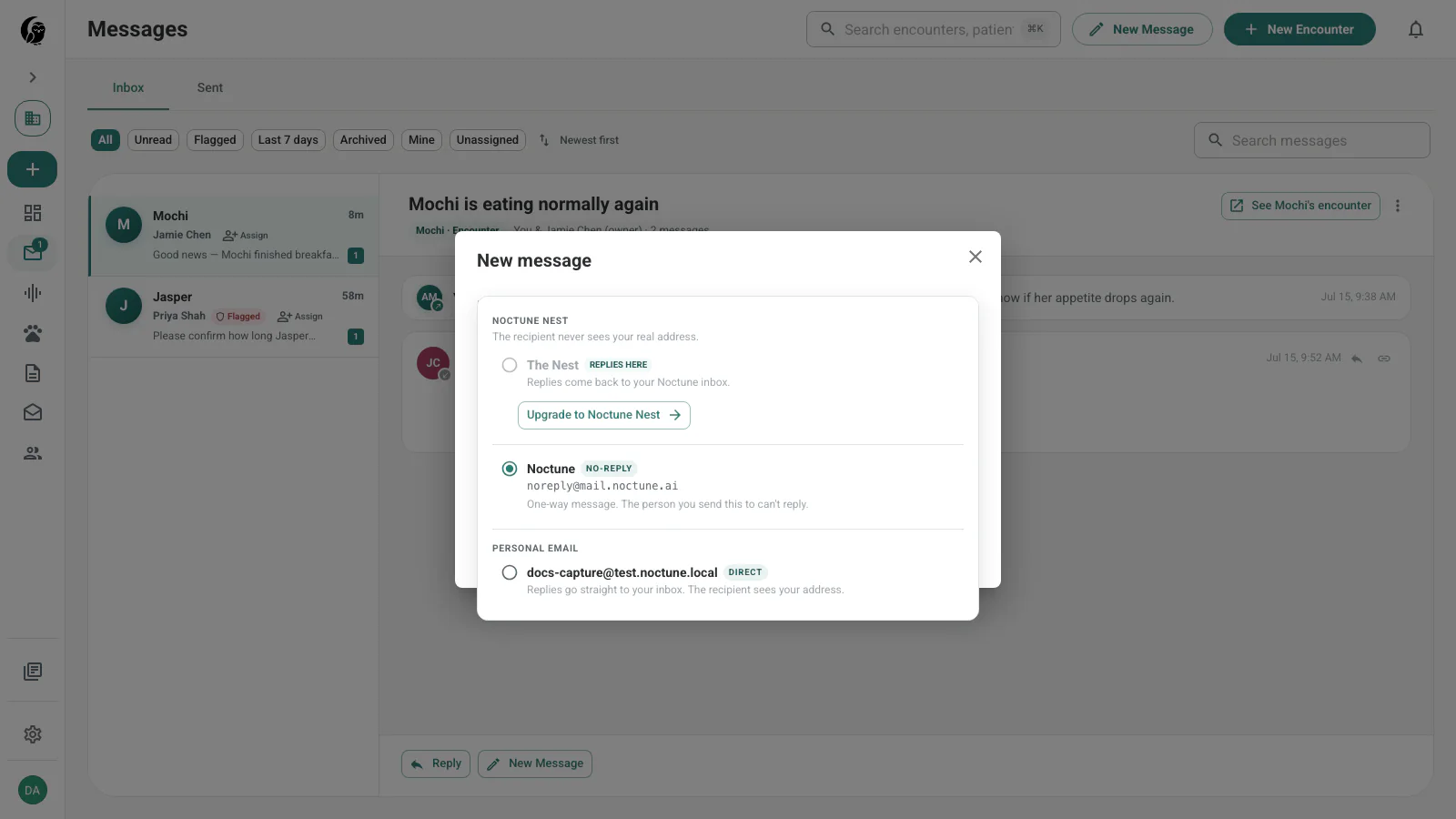
Choose how replies route
- noctune Nest — replies return to noctune. In an encounter composer, the option is labeled This encounter; elsewhere it is The Nest or the patient’s Nest.
- noctune (no reply) — a one-way message from
noreply@mail.noctune.ai. - Your personal email — replies go to your personal inbox, and your address is shared with the recipient.
Start a message
Choose New Message in the top bar or from a thread. Add one or more To recipients, reveal Bcc if needed, choose the reply route, enter a subject and message, and send. The composer supports a practice footer when a practice workspace is active.
Insert an email template
Choose Templates to search your Email Templates. Insertion preserves text already in the draft, fills an empty subject, and resolves available merge fields. Use the immediate Undo action if you picked the wrong template.
Unresolved fields appear with an explanation. Fix the recipient or source data, edit the draft, or explicitly confirm Send anyway; the unresolved text is delivered if you proceed.
Reply to a thread
Open the thread and choose Reply. It uses the same message editor, templates, merge-field checks, and sender routing as a new message.
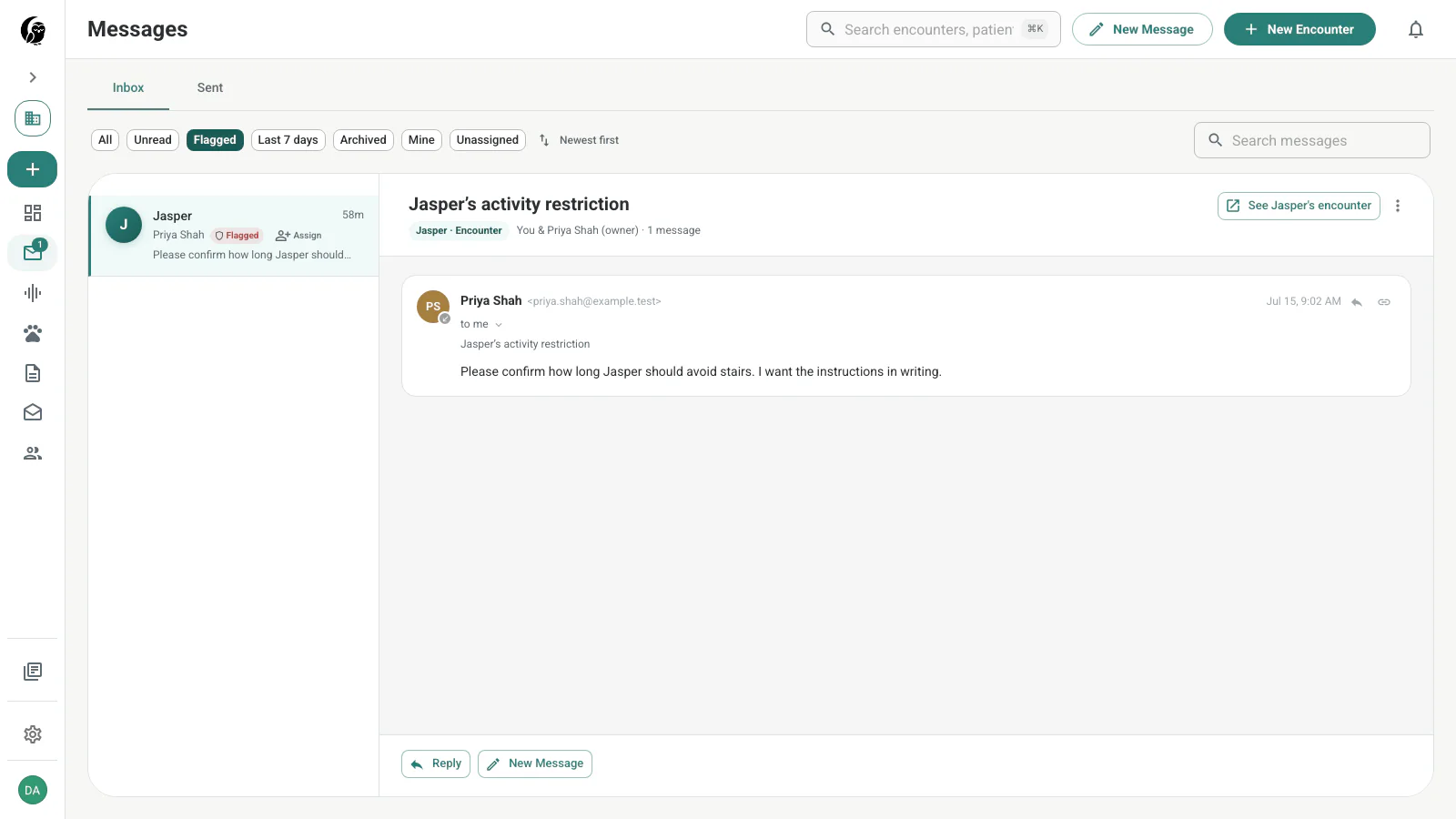
Review Sentinel-flagged work
The Flagged filter narrows Inbox to encounters where noctune Sentinel detected hostile behavior. The list keeps the patient, owner, subject, assignment, and safety label together.
Unread badge and notifications
The sidebar badge reflects unread messages. The notification matrix also shows the current email and push defaults for new client replies under Notifications.