Community
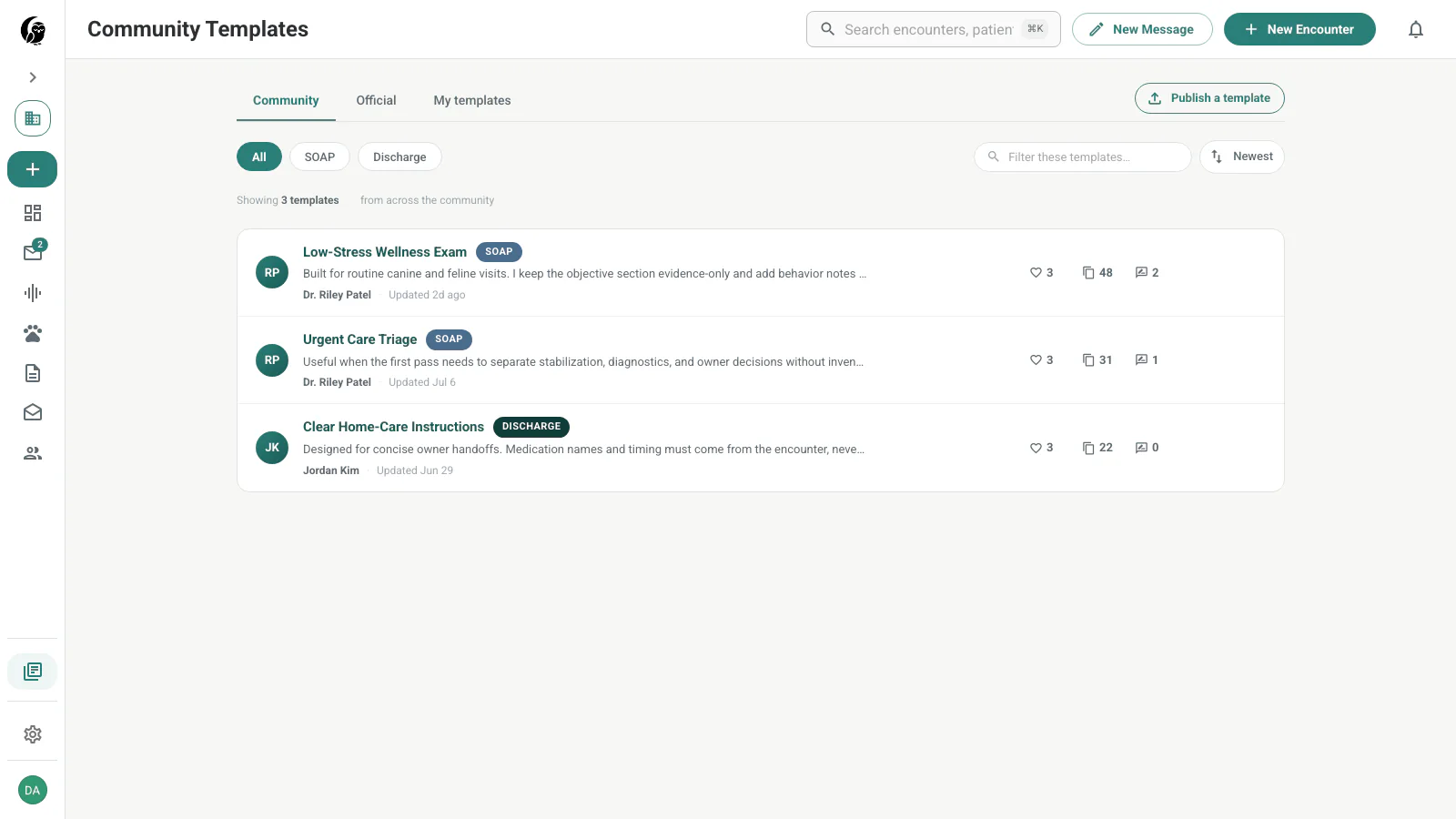
Community Templates is a gallery of SOAP and discharge templates that clinicians have chosen to share. It gives you a reviewed starting point without changing the publisher’s original.
Browse the gallery
Use the source tabs to switch among Community, Official, and My templates. Filter by SOAP or Discharge, search the visible gallery, and sort by Most duplicated, Newest, or Oldest.
Each row shows the template purpose, author, description, update time, likes, duplicates, and peer-note count. Choose a row for its full content and discussion.
Inspect a template
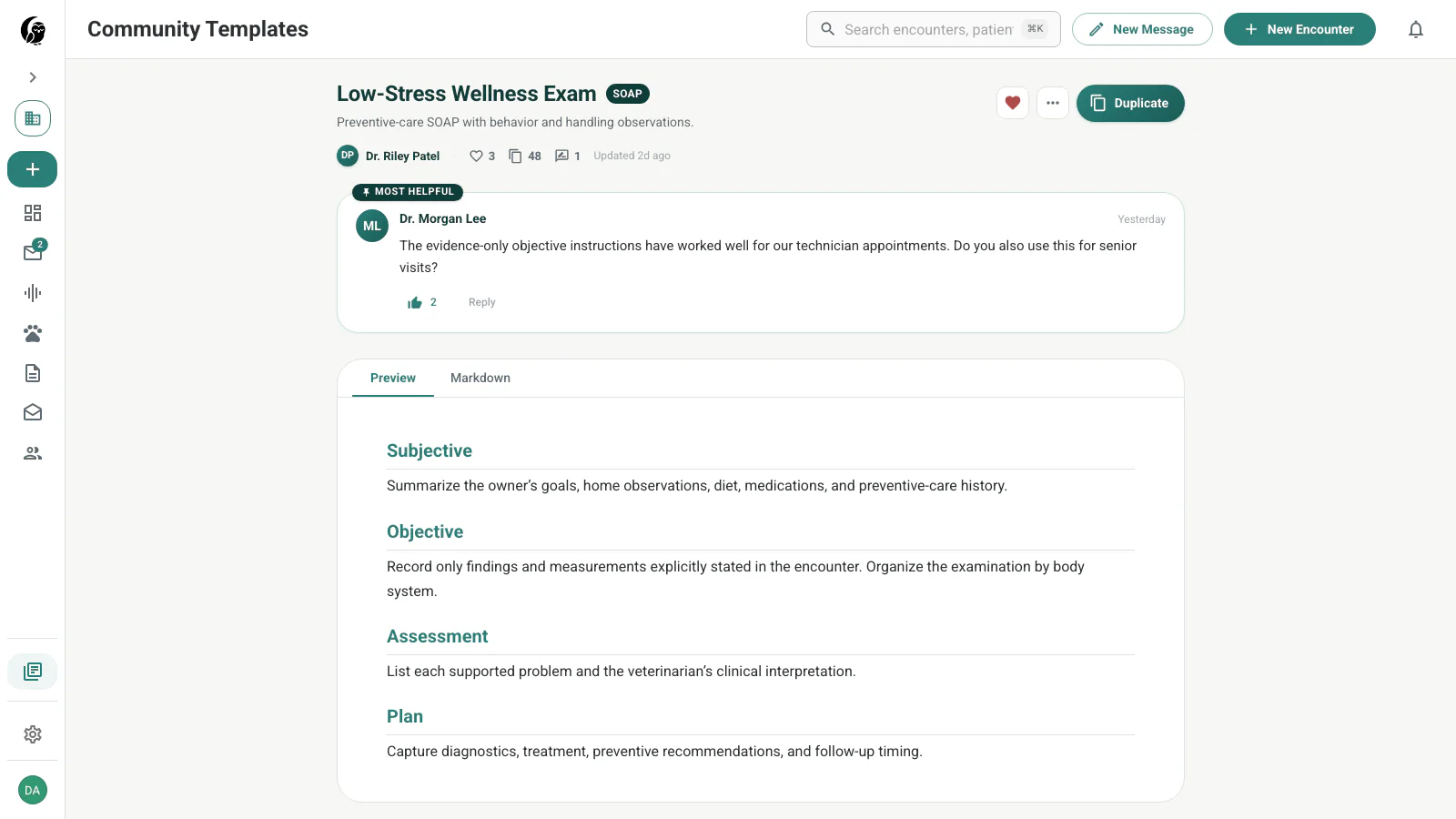
The detail page shows the publisher’s description and notes, engagement counts, rendered Preview, and source Markdown. A like records that the template was useful to you; choose the heart again to remove it.
Duplicate and customize
Choose Duplicate to copy the published template into your templates and open the editable copy. There is no confirmation dialog. Edits, defaults, and later deletion affect only your copy.
Learn from peer notes
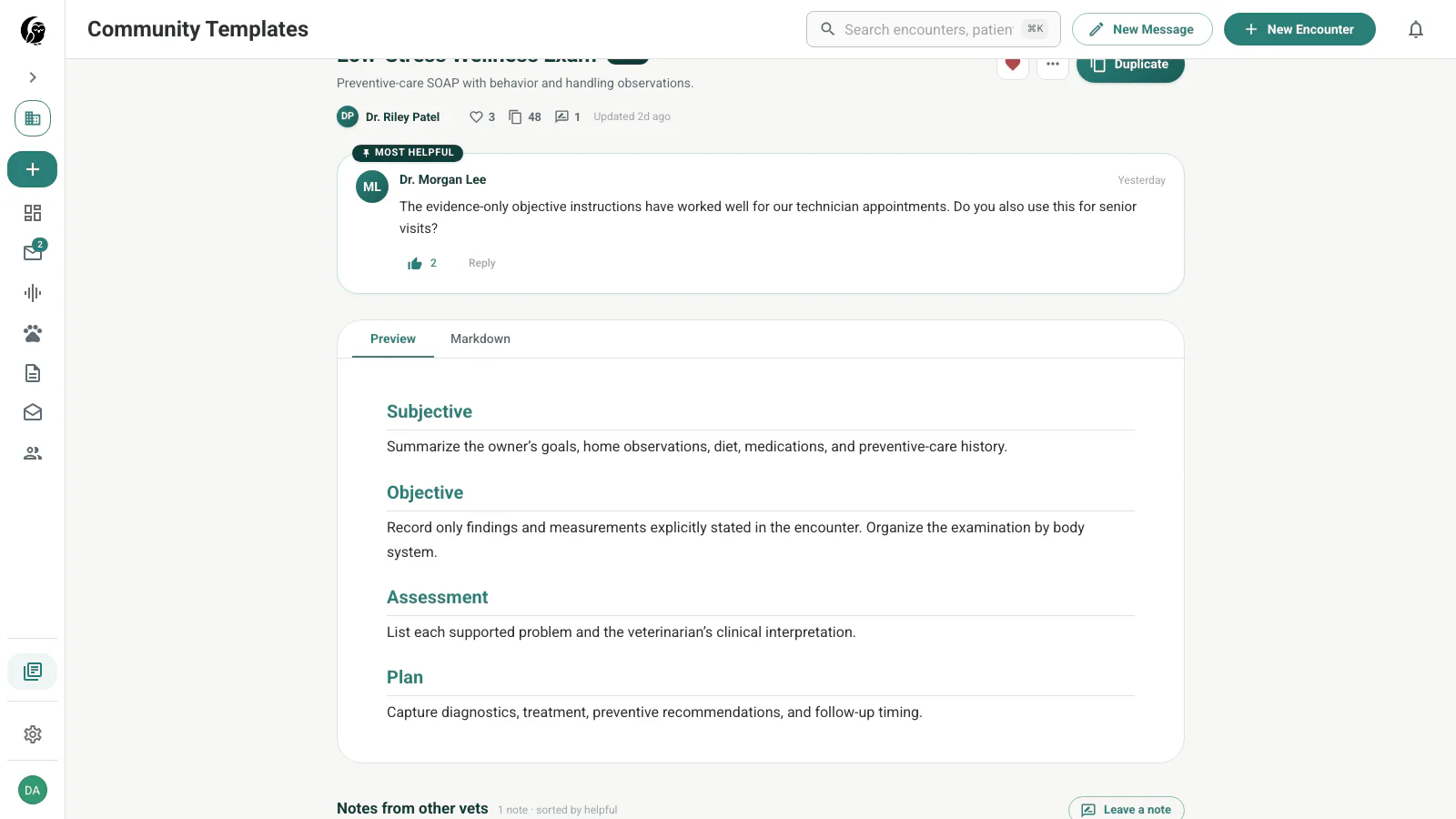
The notes section supports clinician questions, author replies, helpful votes, and a featured note. Use it to understand the intended workflow or a useful variation before duplicating the template.
Report unsafe or inappropriate content
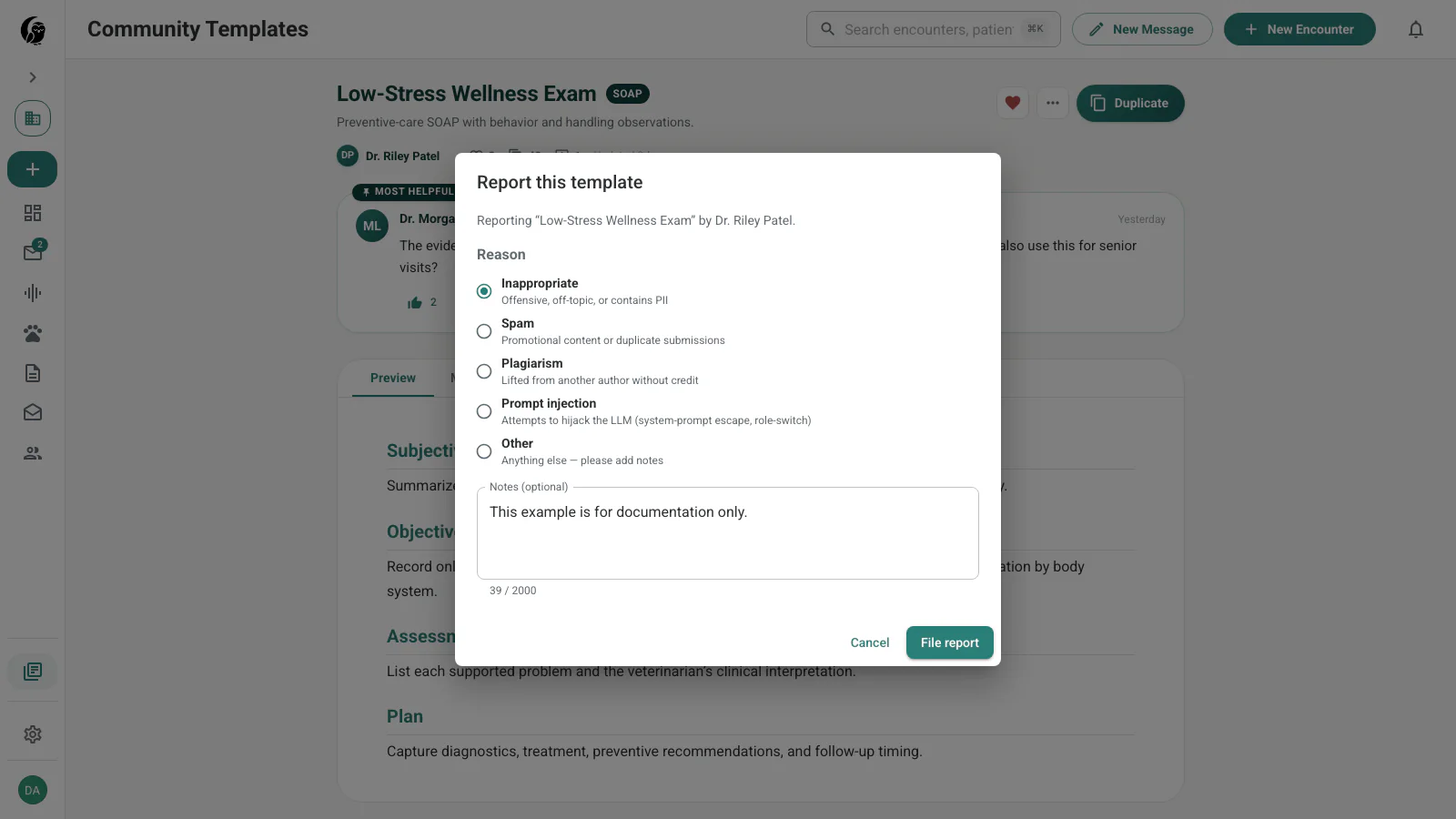
Open More and choose Report. Select the closest reason—Inappropriate, Spam, Plagiarism, Prompt injection, or Other—and add optional context. Filing the dialog sends the report for review; it does not immediately remove the template.
Publish your own template
In the template editor, select a saved custom template and choose Publish. Review the privacy warning, remove any patient or client information, and optionally add usage notes for other clinicians.
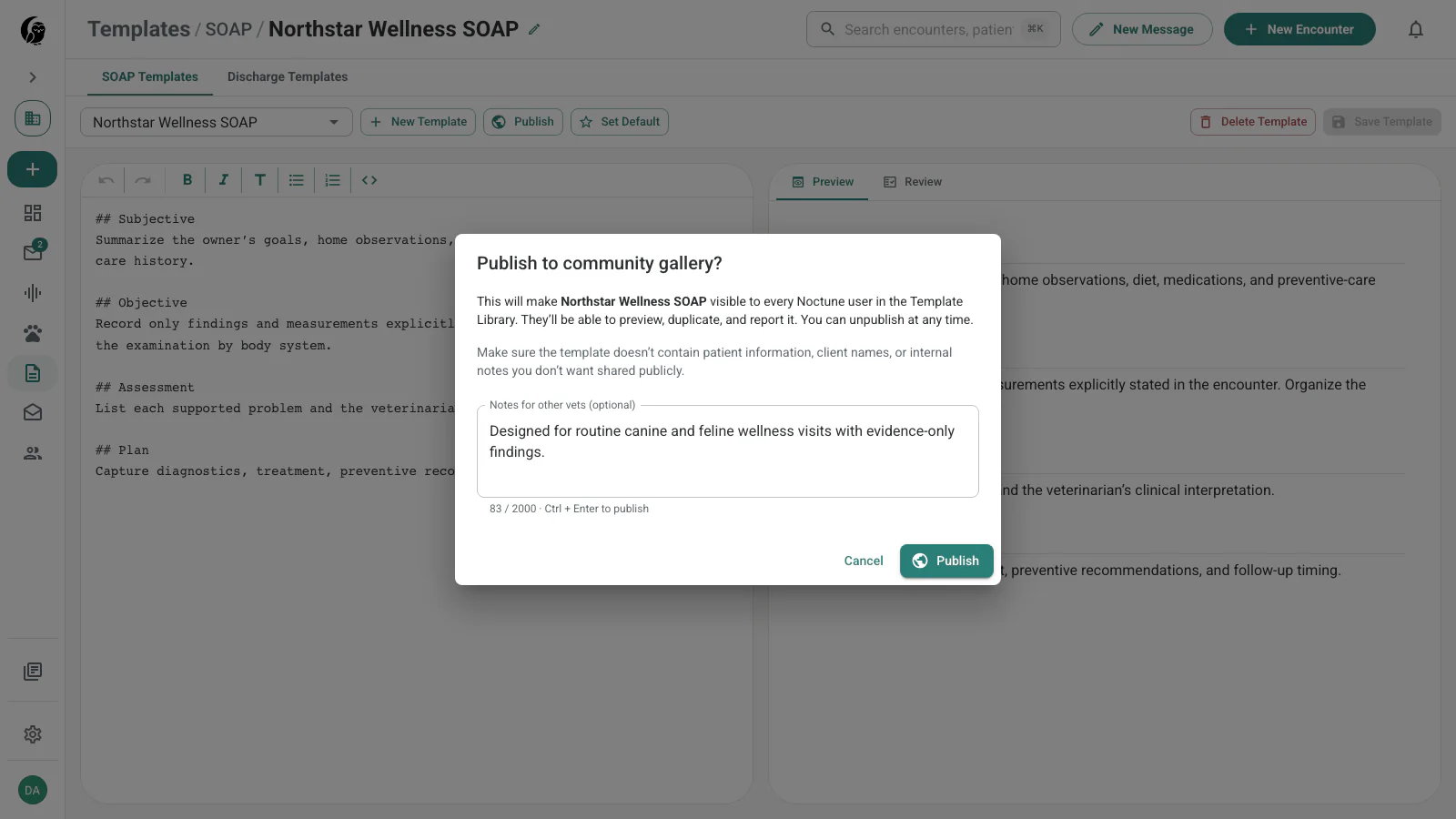
You can unpublish later. Existing duplicates remain in the other clinicians’ accounts.